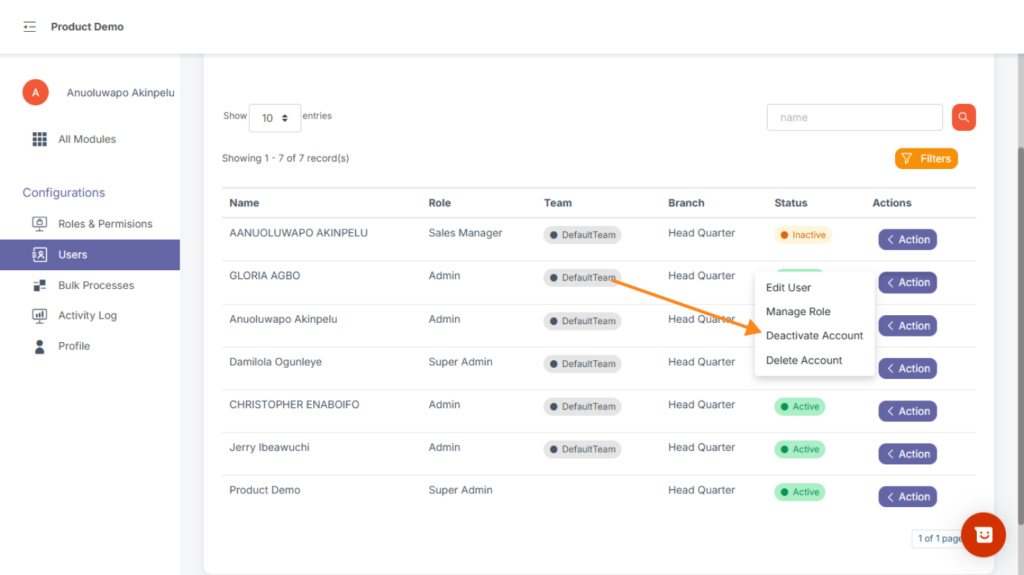
This section provides an overview of all users and teams on the platform.
Admins can easily view user details, assign roles, and organize users into teams or branches.
Key Features:
- Add new users or teams using the “Add New” button.
- Switch between tabs: Users, Teams, and Branches.
- View details such as Name, Role, and Team for each user.
- Use the Filters and Search bar to find specific users.
- Control how many records appear per page using the Show entries option.
HOW TO ADD A NEW USER #
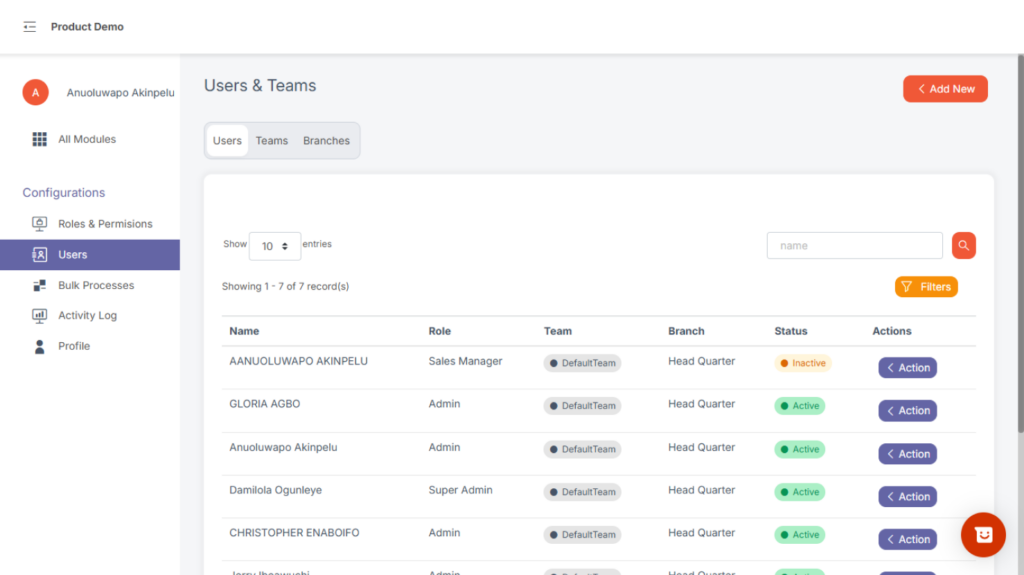
To add a new user, users with the Create User permission can navigate to the User Management Module using the All-Modules option at the top of your sidebar if you’re already in a Module or by choosing it from the modules displayed to you upon logging into Lenda.
When in the User Management Module, click on the Users option in the sidebar, click on Add New at the top right, choose Add User, fill the form and click on Add User.
HOW TO ADD NEW BRANCH #
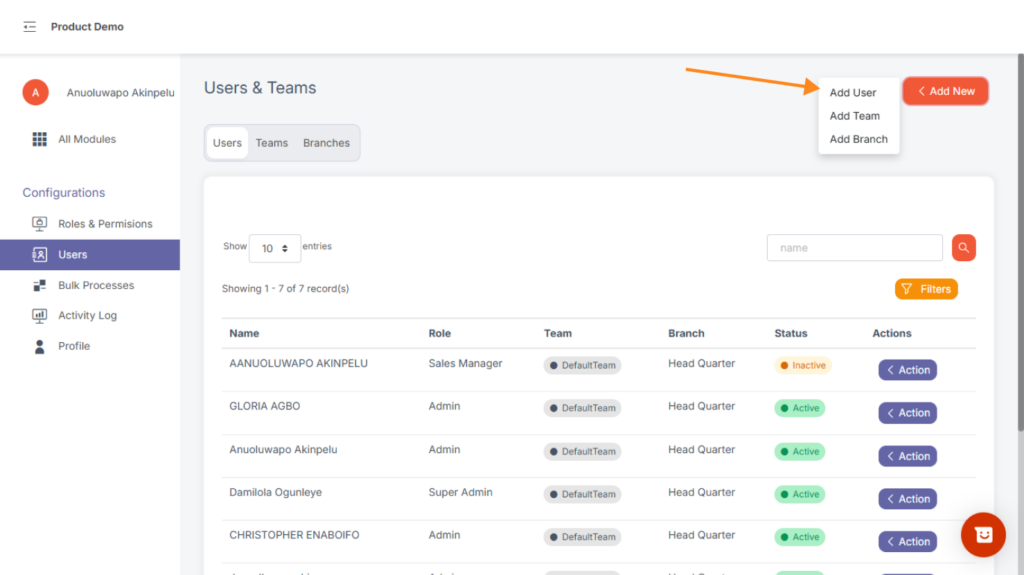
To create a new branch, users with the permission View Branch – Add Branch – Edit Branch can navigate to the User Management Module using the All Modules option at the top of your sidebar if you’re already in a Module or by choosing it from the modules displayed to you upon logging into Lenda.
Select Add Branch and fill the modal form that is displayed. Click on the “Add Branch” to save the new branch.
HOW TO ASSIGN A BRANCH TO A USER #
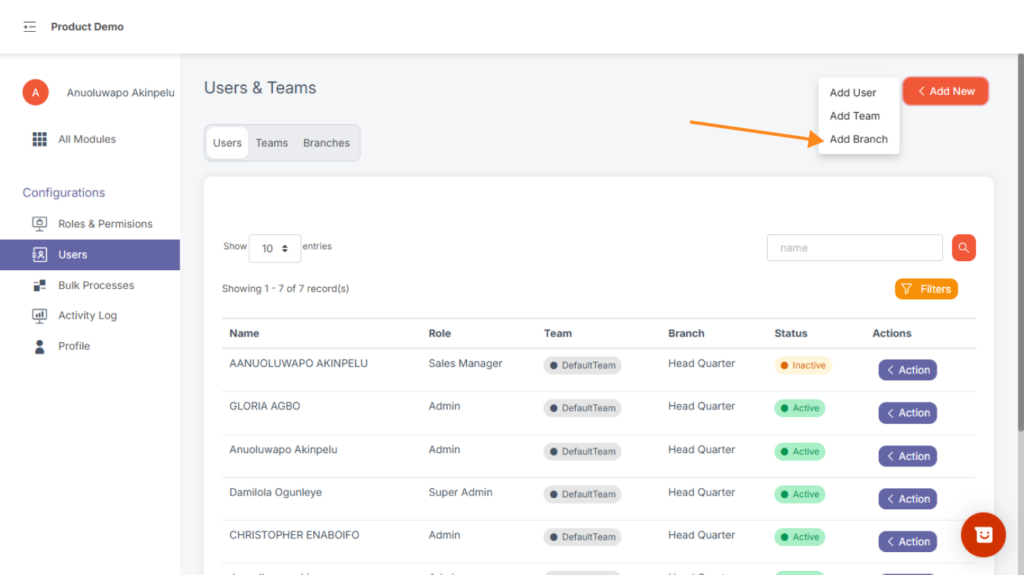
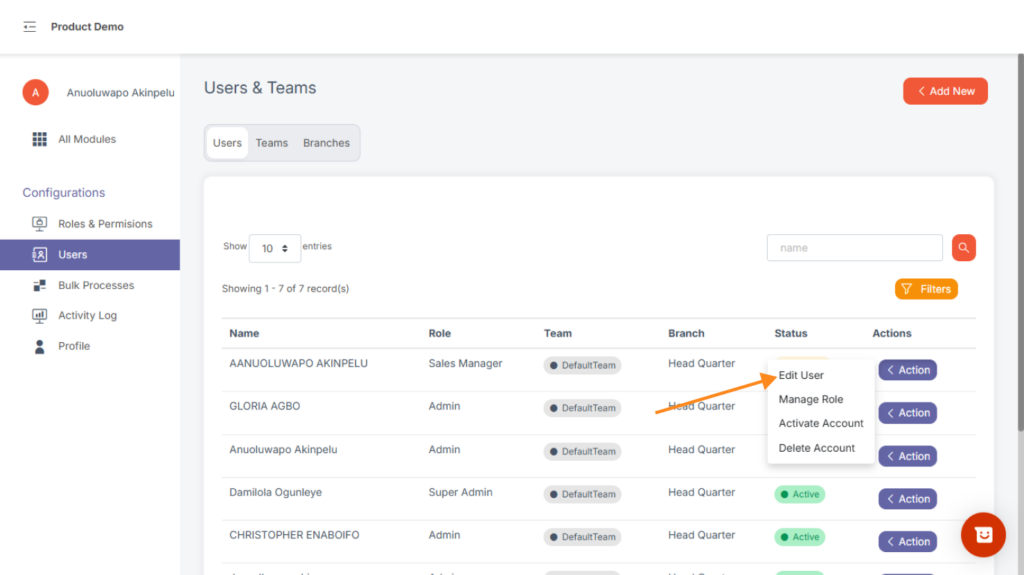
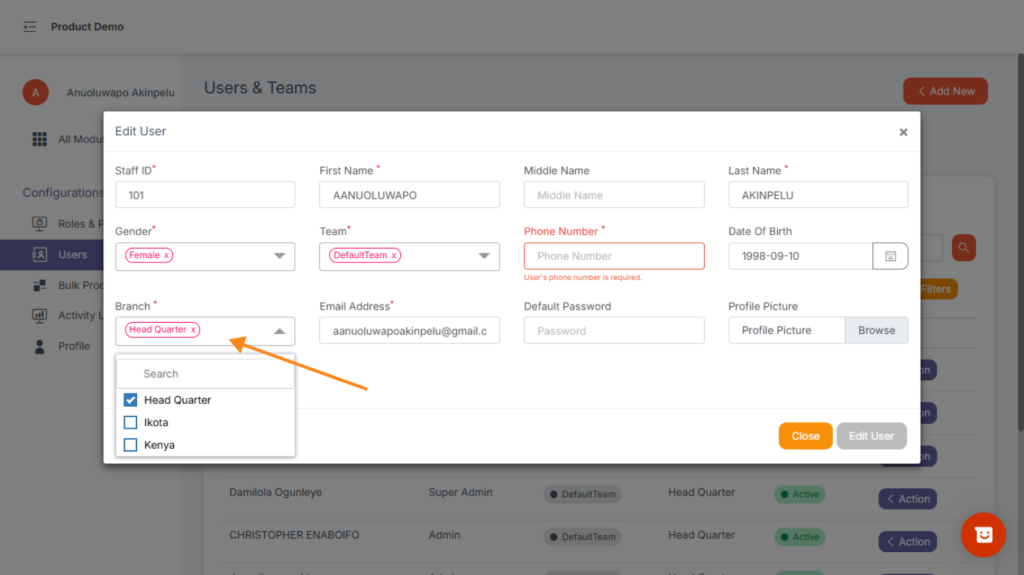
To assign a branch to a user or to change a user’s branch, navigate to the User Management Module using the All Modules option at the top of your sidebar if you’re already in a Module or by choosing it from the modules displayed to you upon logging into Lenda.
When in the User Management Module, click on the Users option in the sidebar, click on the Action dropdown on the user’s profile, click on the Edit & change or assign a branch to the user at will.
HOW TO ADD A NEW TEAM #
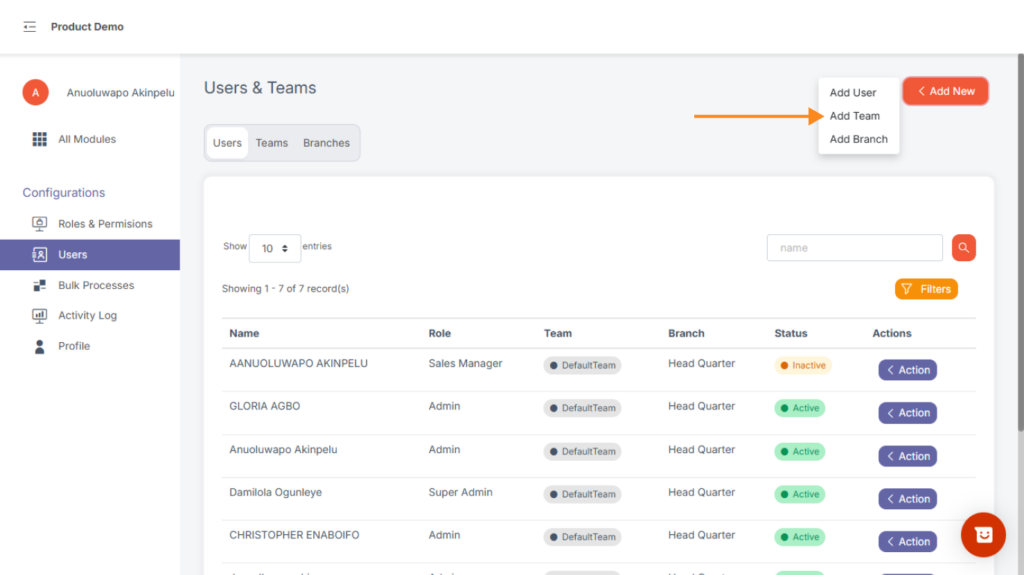
To create a new team, users with the permission Create Team can navigate to the User Management Module using the All Modules option at the top of your sidebar if you’re already in a Module or by choosing it from the modules displayed to you upon logging into Lenda.
Select Add Team and fill the modal form that is displayed. Click on the ”Add Team” to save the new team.
HOW TO DEATCTIVATE A USER #
To deactivate a user, select the user management module. Click on users and search for the user details using the search box. Select action and deactivate account.