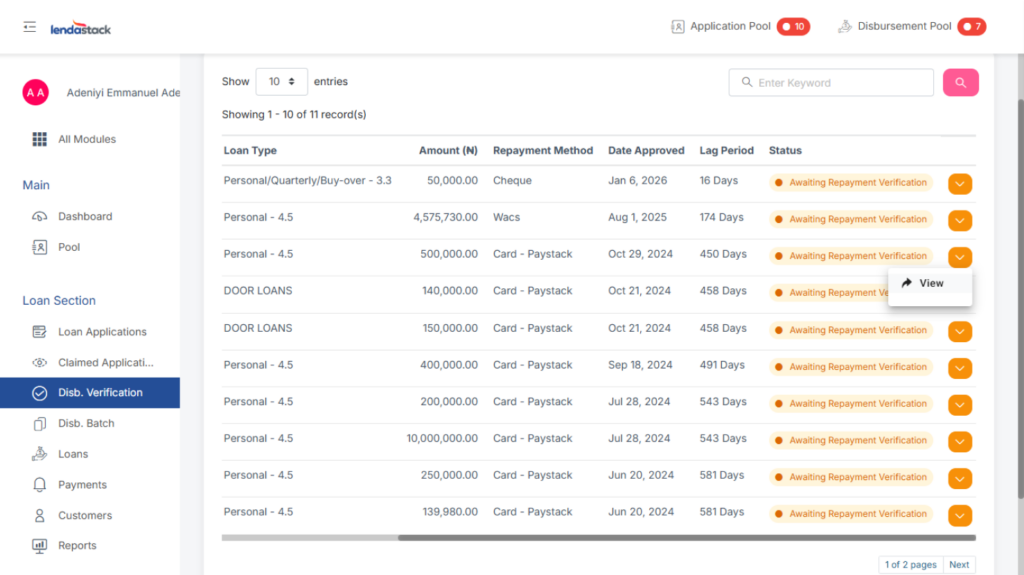
To verify a loan disbursement, users with the “View Disbursement Verifications” permission should:
1. Navigate to the sidebar.
2. Click Loans, located directly under Disbursement Batch.
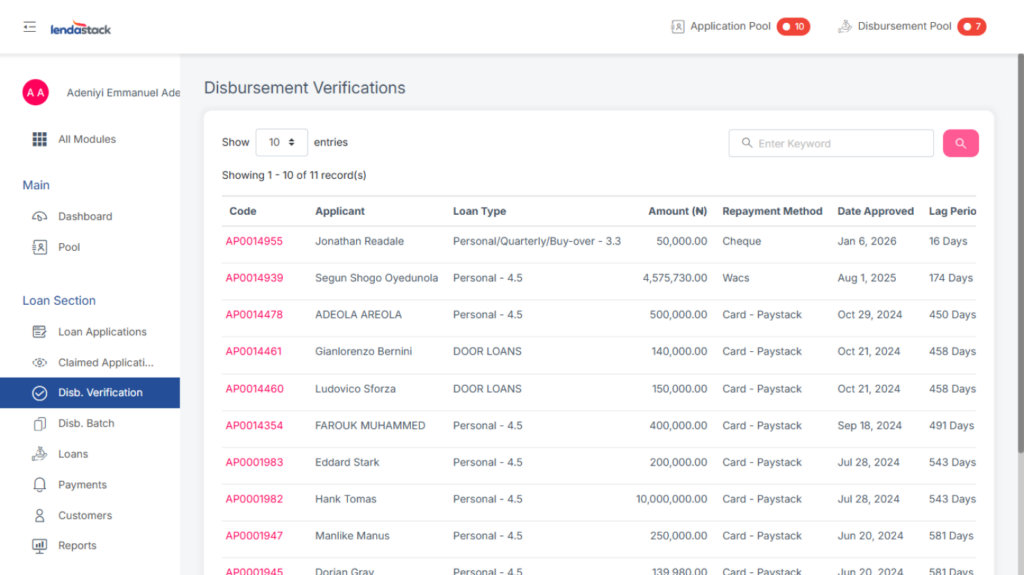
On the Disbursement Verification page, the relevant loans will be listed.
To proceed, the user must click the dropdown arrow (▼) in the Action column for a specific loan. This reveals the option:
- View