
The Claimed Applications tab displays:
- All claimed applications ready for approval or review
- Applications that have already been reviewed and approved
- Applications claimed by other reviewers
Approved loans may also be recalled from this tab, if necessary.
Claiming A Loan Application #
After a loan application is submitted, whether from a client portal or within Lendastack, it may be routed to the Application Pool based on your system settings.
Users with the “Claim Applications – Applications Pool” permission can claim applications from this pool. To do so:
- Navigate to Pool in the sidebar
- Click on Application Pool.
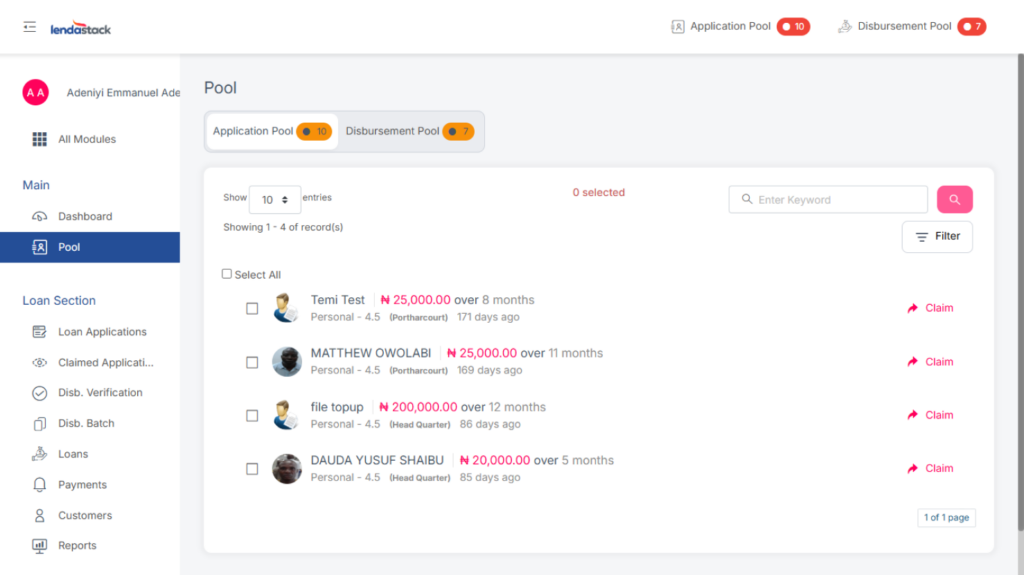
A list of loan applications will be displayed, each with a Claim button. By clicking this button and entering their Transaction PIN, a user can claim an application.
Once claimed, It is moved to the Claimed Applications section in the sidebar for review.
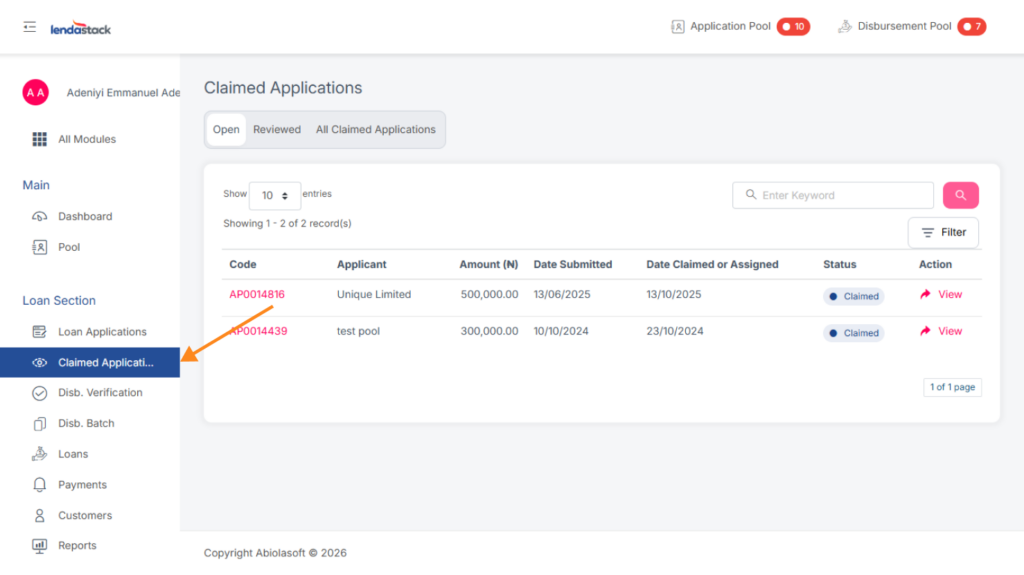
Once a loan application has been claimed, users with the “Review Claimed Applications” permission can review it.
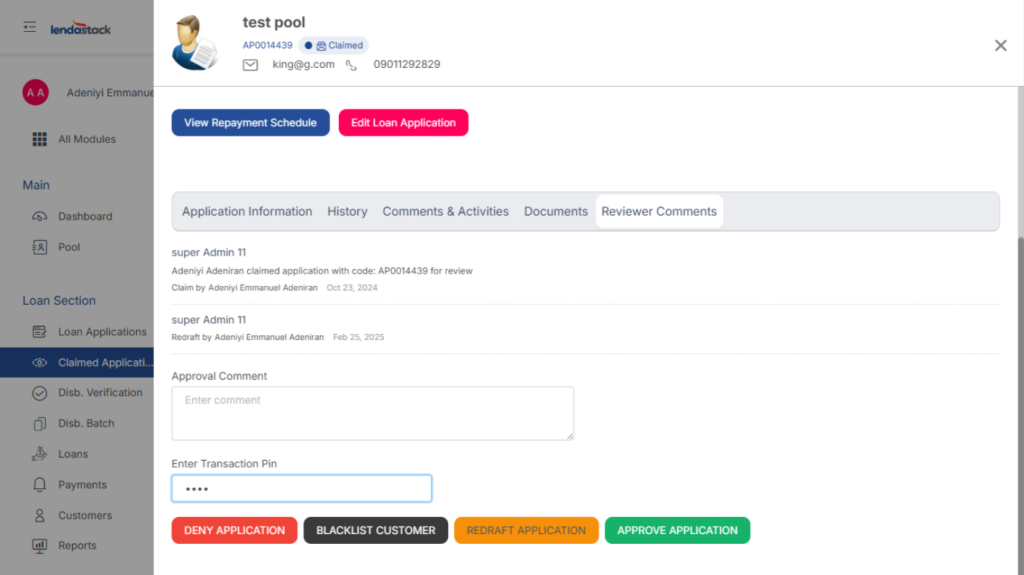
To begin the review, the user must navigate to the Reviewer Comment column and enter their transaction PIN and clicking any of these options;
- Deny application
- Blacklist Customer
- Redraft Application
- Approve application
RECALLING A LOAN
This action is available to users with reviewer or underwriter permissions.
To recall an approved loan, follow the steps below:
- Navigate to the “Reviewed Applications” tab.
- Locate and select the loan to be recalled.
- Click “View” to open the loan details.
- Click the “Recall Loan” button.
Once the loan has been successfully recalled:
- The loan will reappear under the “Open” tab.
- The underwriter can then send it back for redrafting, so the initiator can make the necessary edits.