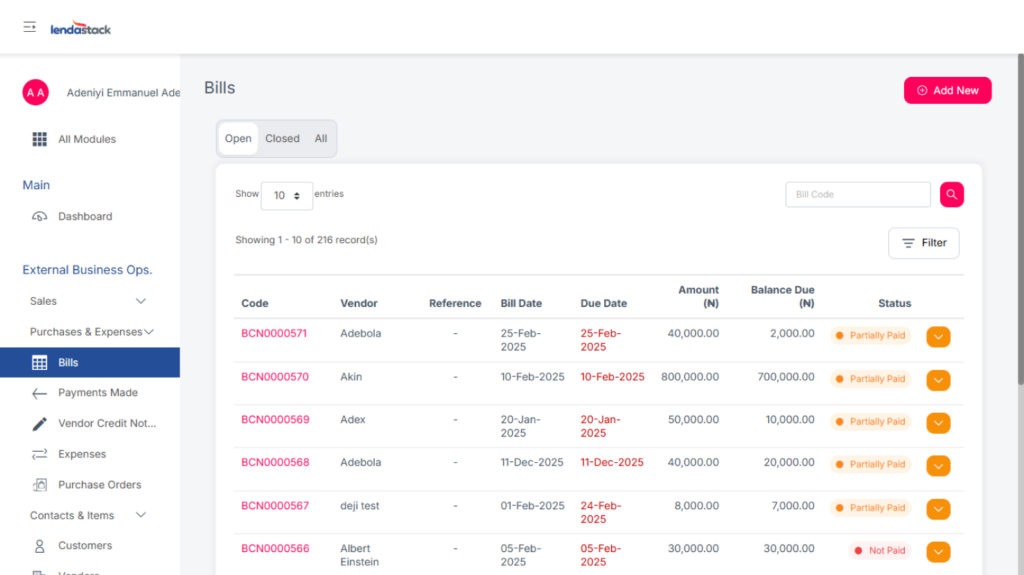
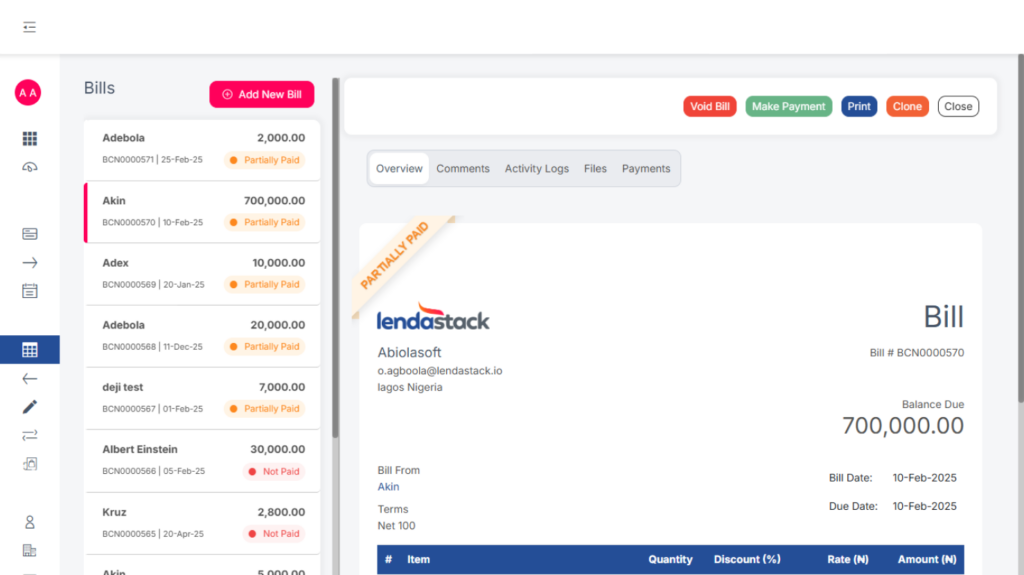
The bills are used to record what the business owes to the vendors. Here, Users can view all bills that are pending, fully paid, or partially paid.
To create a new bill:
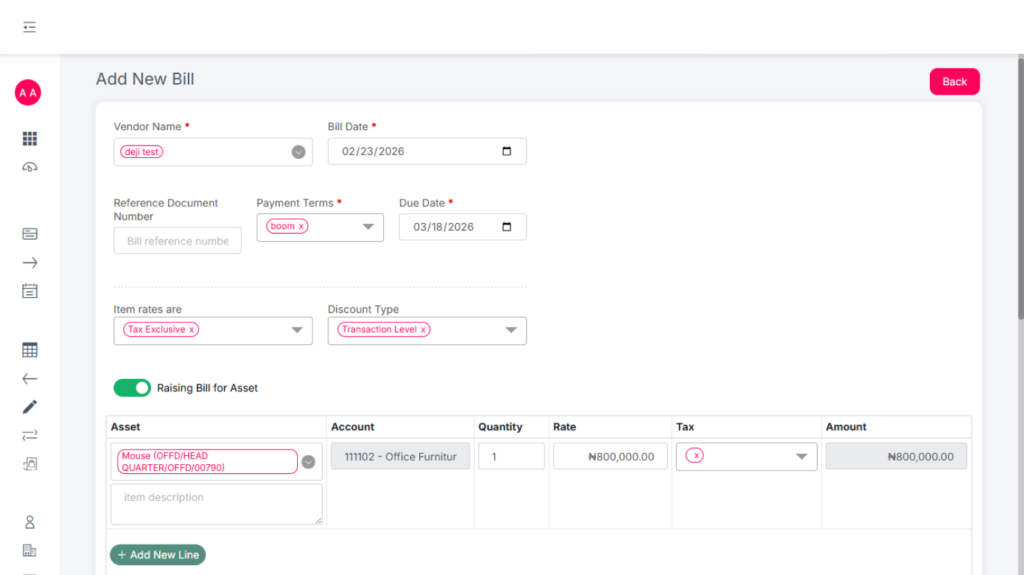
- Click Add New.
- Fill in all the necessary details
Raise Bill for Asset #
Users can toggle the “Raise Bill for Asset” button. This allows them to either:
- Select an existing asset type from the dropdown menu, or
- Create a new asset type directly from the interface.
There is also the void feature which allows users to reverse already posted bills, and this can be done by the user with the permission to void.
Payments Made
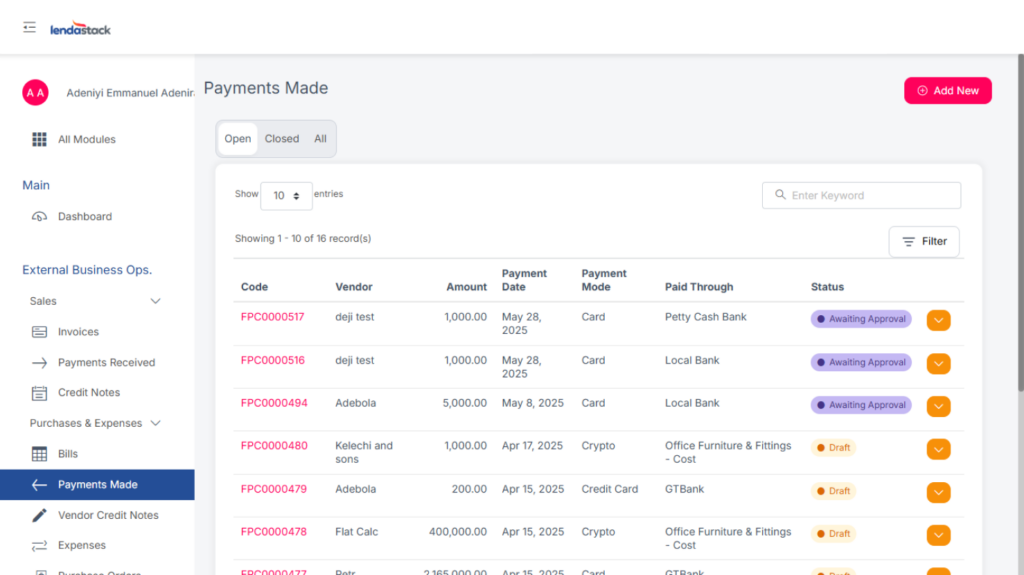
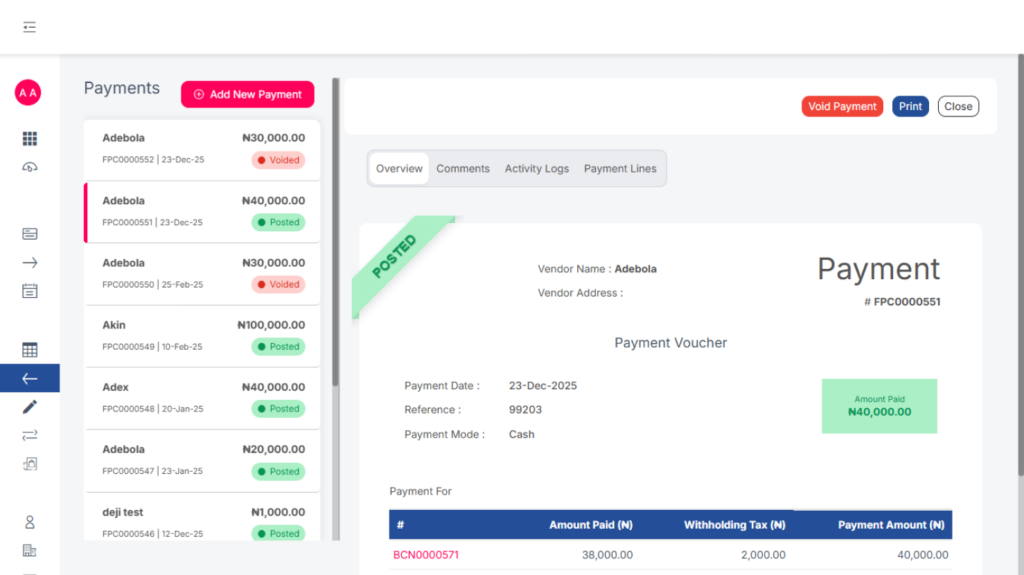
This section displays all payments made to vendors from created bills.
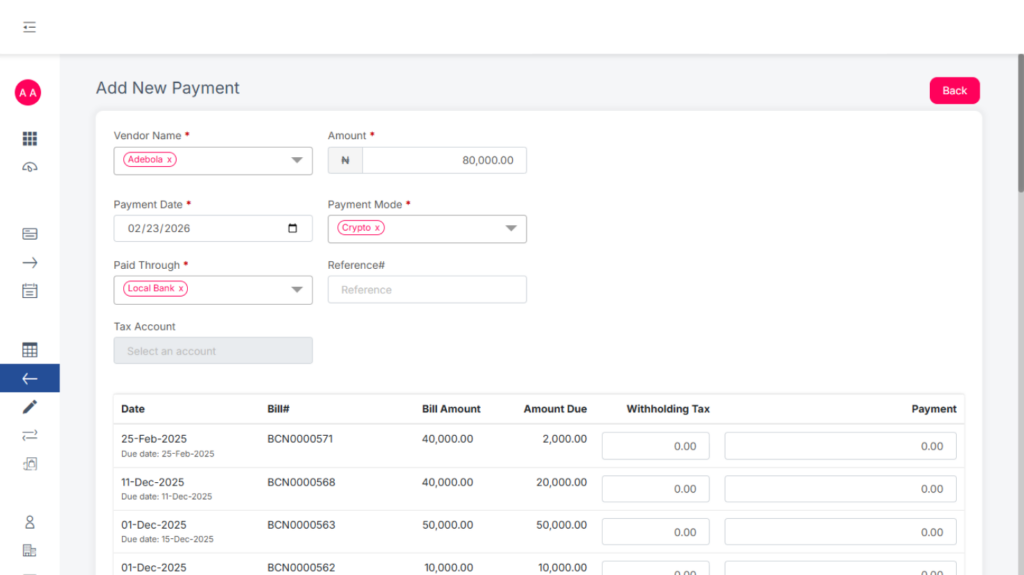
Add a New Payment
Users can add Payment in two ways:
- Click Add New and complete the payment form.
- Make a payment directly from an approved bill that has not been fully paid.
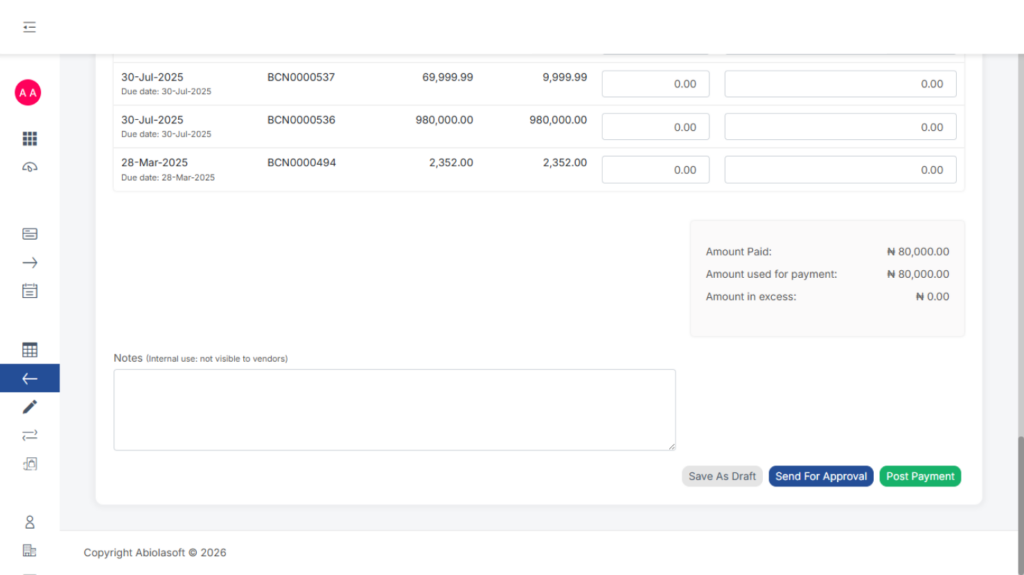
Complete a Payment
After filling in the required details, you can choose one of the following actions:
- Save as Draft: Save the payment for later completion.
- Send for Approval: Submit the payment for review before posting.
- Post: Finalize and record the payment immediately.
Expenses
This section records all business expenses.
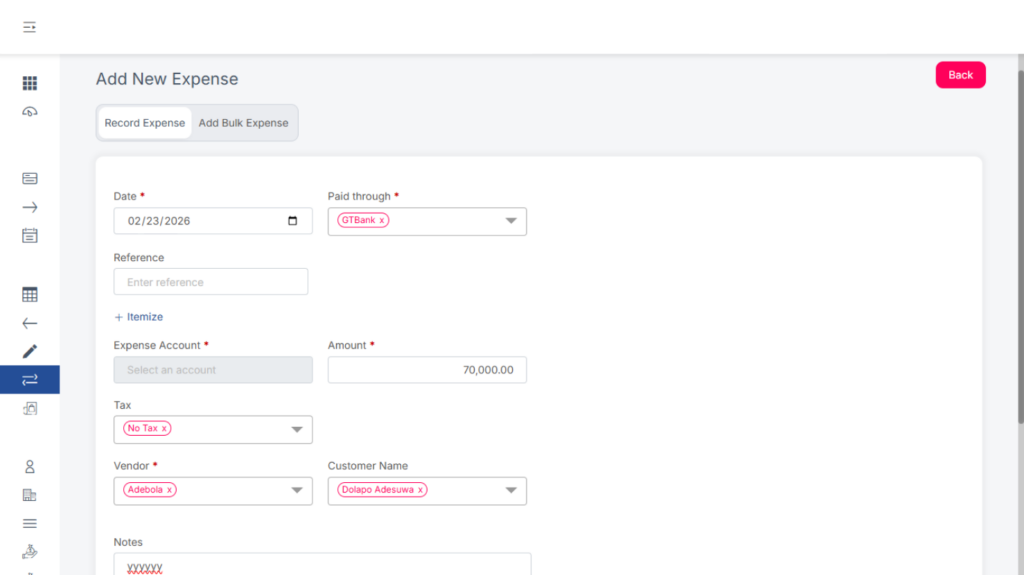
Adding a New Expense
To add a new expense:
- Click Add New.
- Complete all required details.
- Choose one of the following actions:
- Save as Draft – Save the expense for later completion.
- Send for Approval – Submit the expense for review before posting.
- Post – Finalize and record the expense immediately.
Users can add expenses individually or in bulk.
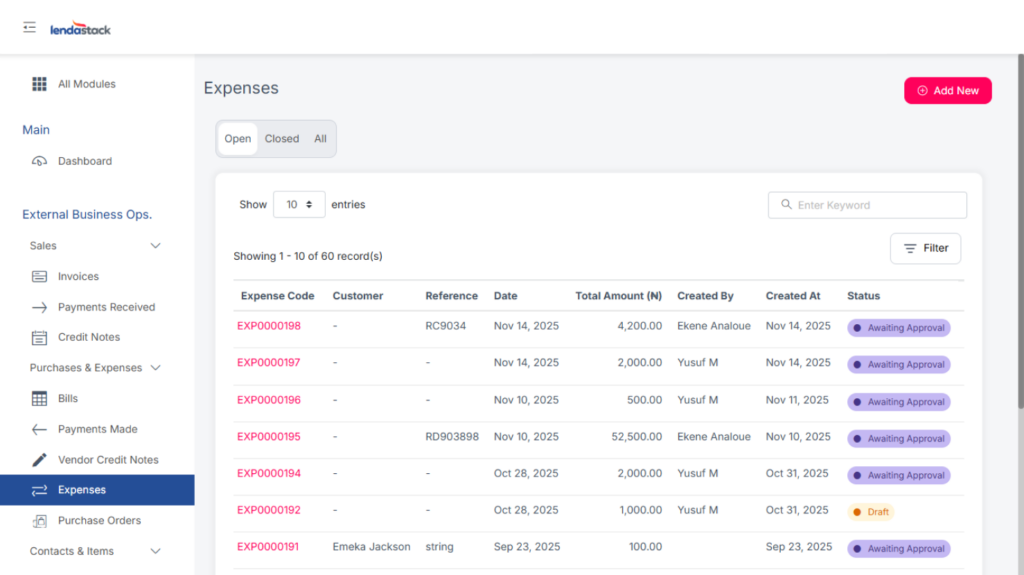
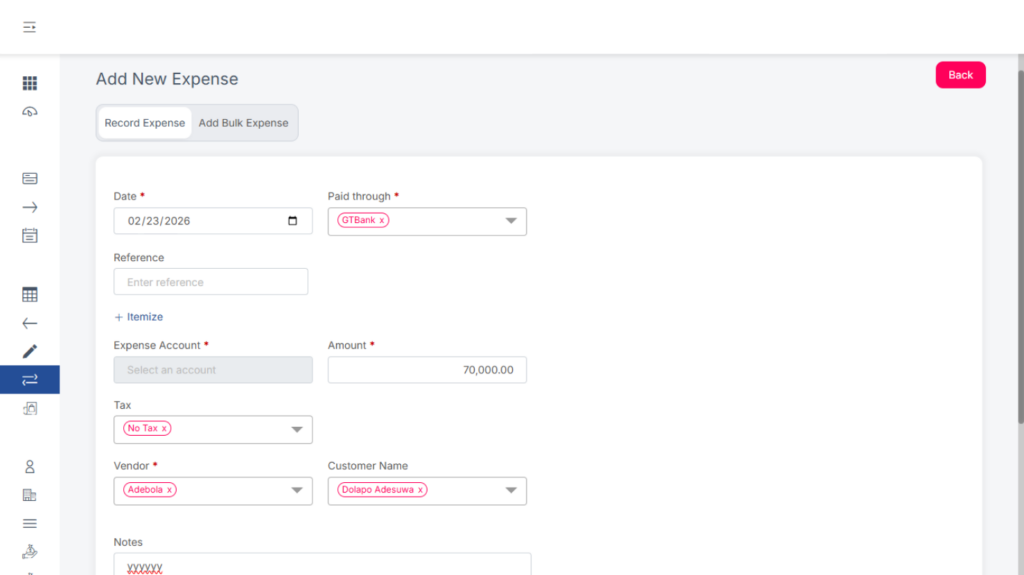
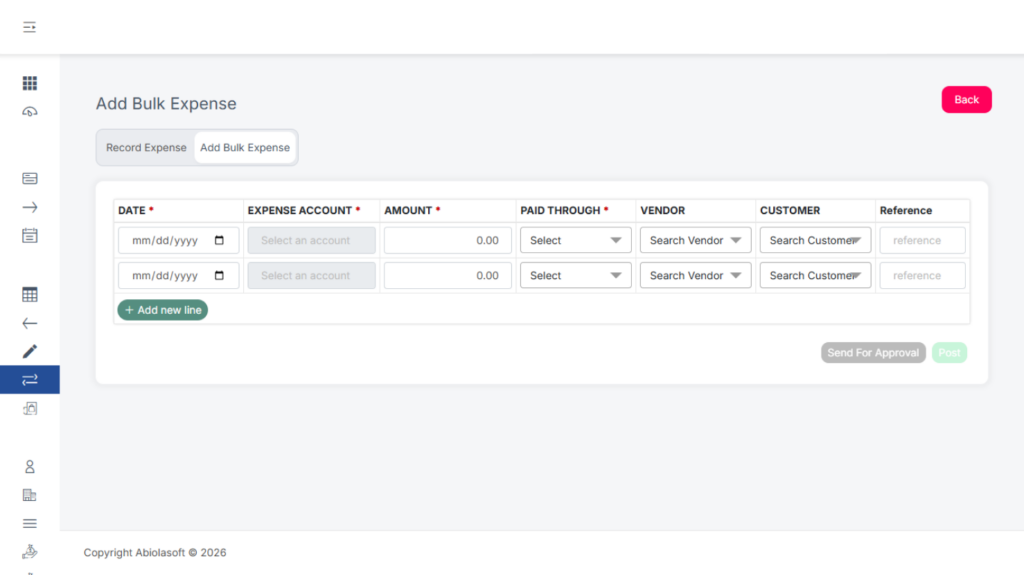
Only authorized users can void expenses after posting, and there’s also the option to Clone expenses.
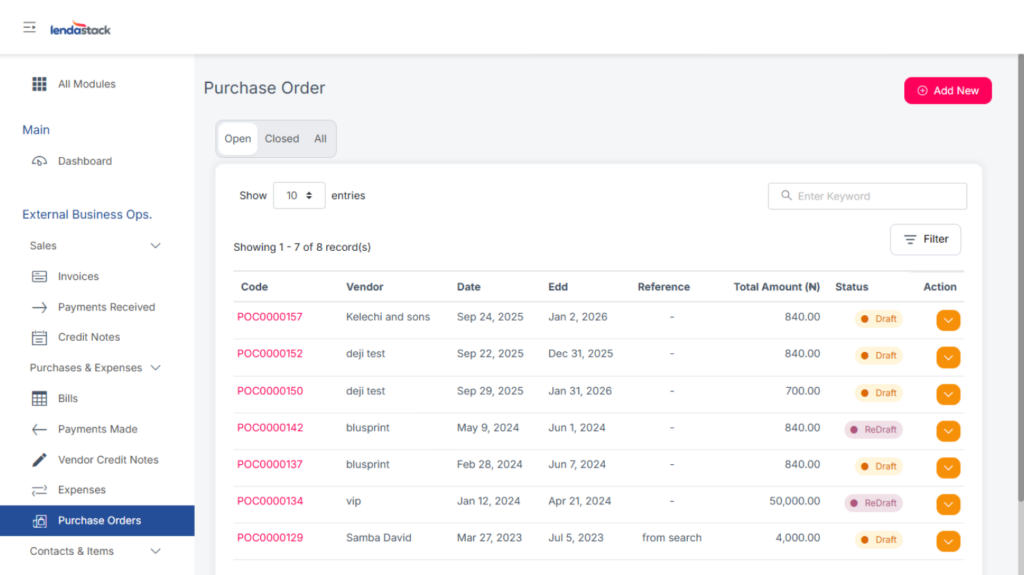
Purchase Orders
Create a New Purchase Order
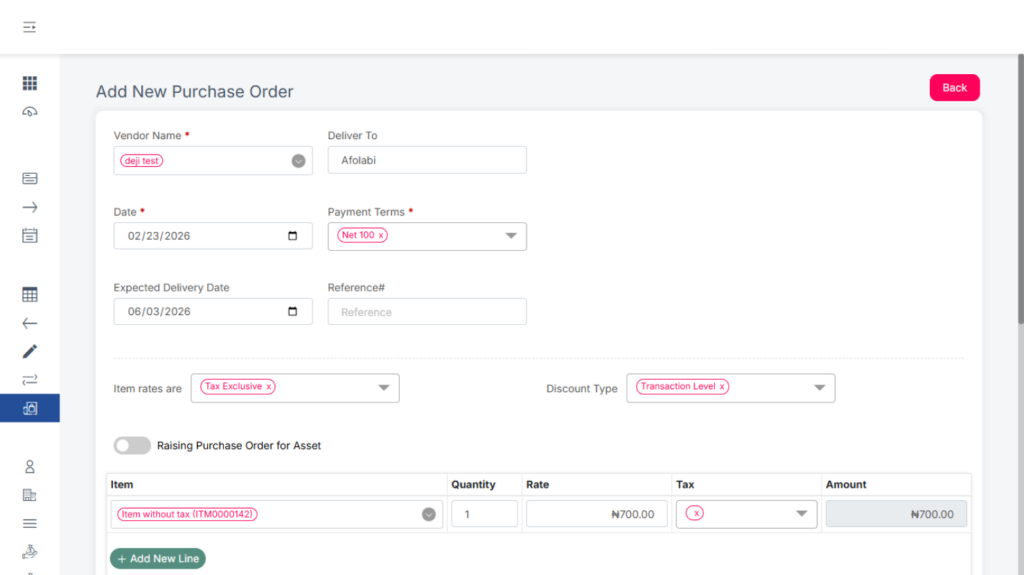
To create a new purchase order:
- Click Add New.
- Fill in all required details.
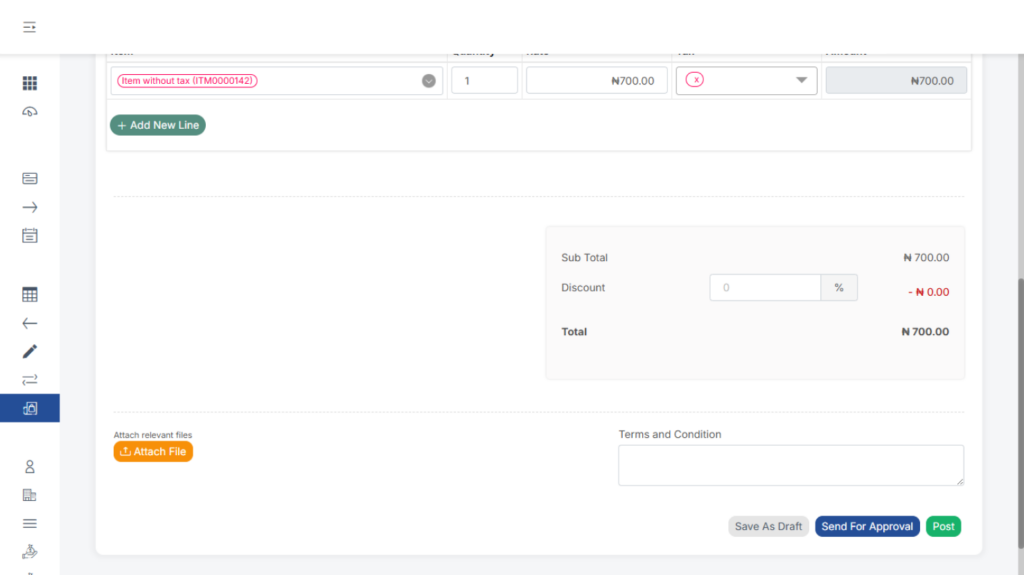
- Choose one of the following actions:
- Save as Draft: Save the purchase order for later completion.
- Send for Approval: Submit the purchase order for review before posting.
- Post: Finalize the purchase order immediately.
- Save as Draft: Save the purchase order for later completion.