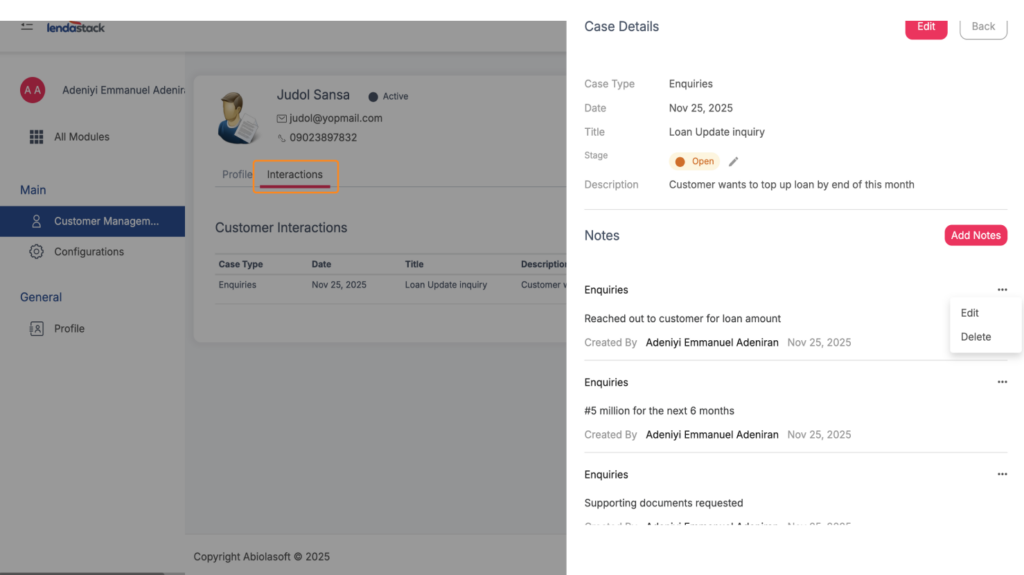
The Case Management feature enables businesses to track and manage all customer-related issues or requests efficiently.
How to Add a New Case:
1. Click on Configuration under Customer Management.
2. Users with the required permission can add a new case by providing:
- Case Name: Title or reference for the issue/request.
- Description: A short explanation for context and record-keeping.
3. Use the toggle option to mark the case as Active or Inactive before saving.
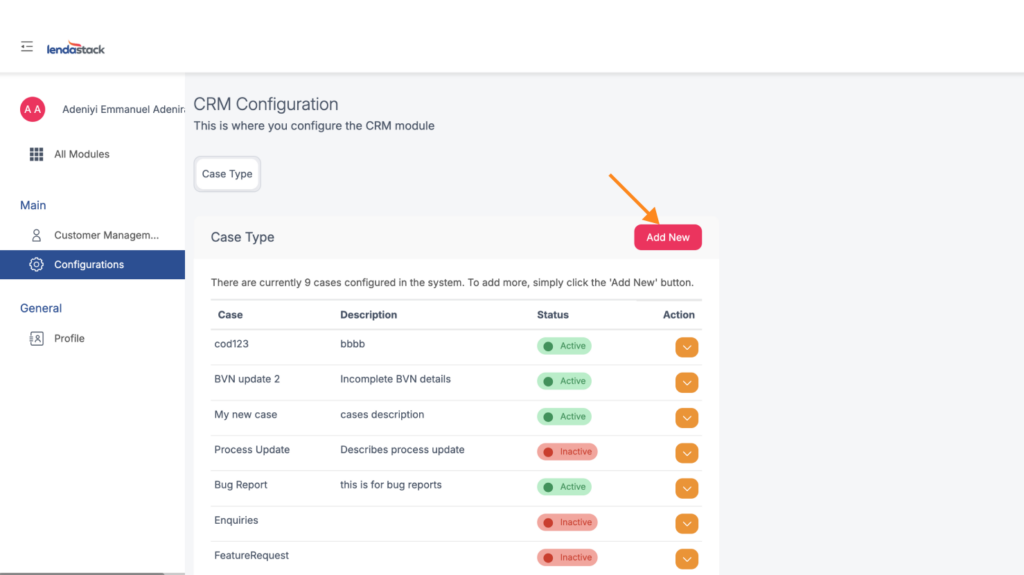
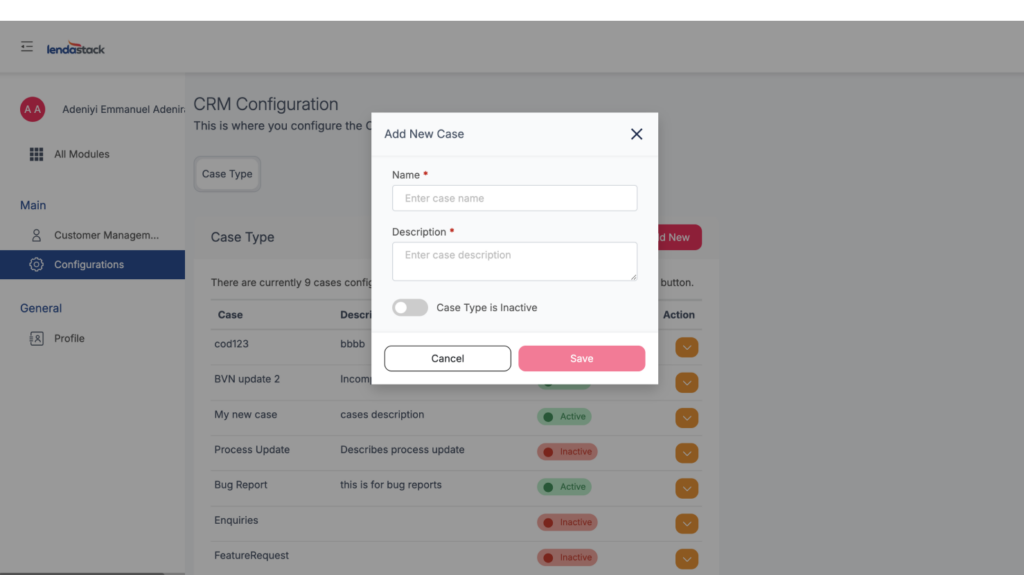
Once saved, cases can be reviewed and updated at anytime, enabling businesses to stay proactive and deliver faster resolutions.
How to Raise and Manage a Case on the Customer Profile Page
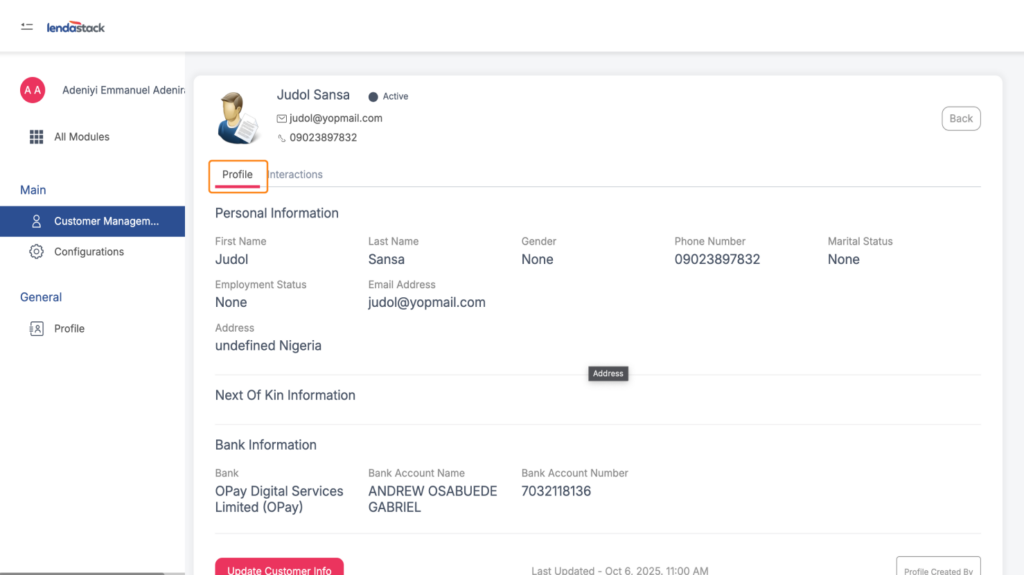
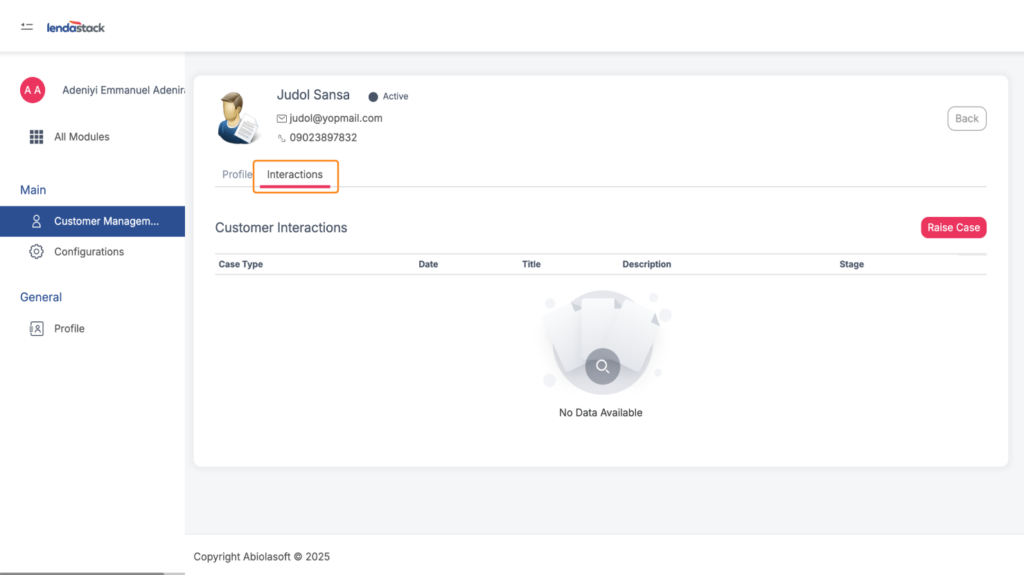
When you click on a customer’s profile, the system opens their details page. Here, you will see two main tabs:
1. Profile Tab: This contains the customer’s personal information such as:
- Name
- Gender
- Marital Status
- Employment Status
- Next of Kin
- Bank Information
- “Update Customer Info” button
How to Raise a New Case
1. Navigate to the Interactions tab.
2. Click the “Raise Case” button.
3. A pop-up form will appear with the following fields to fill:
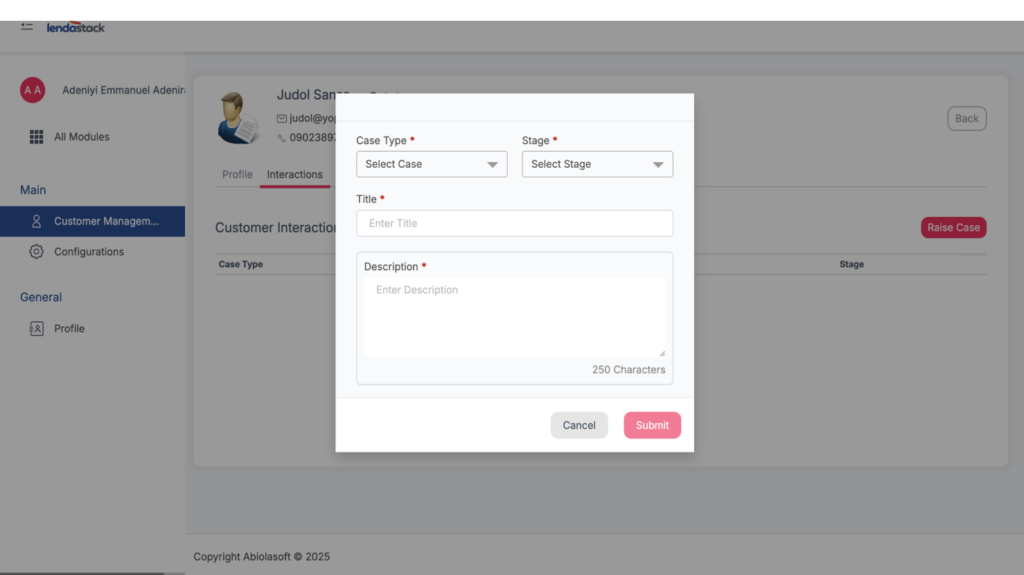
Select the type of case you want to open. Options include:
- Process update
- Bug report
- Enquiries
- Feature requests
- Support
- Follow up
Stage: Choose the current status of the case:
- Open
- Closed
- In Progress
- Resolved
Title: Write a short, clear heading about the case.
Description: Provide more details about the issue or request.
After filling out the form, two buttons will be displayed:
- Cancel
- Save
Click Save to record the case.
Viewing & Managing Saved Cases
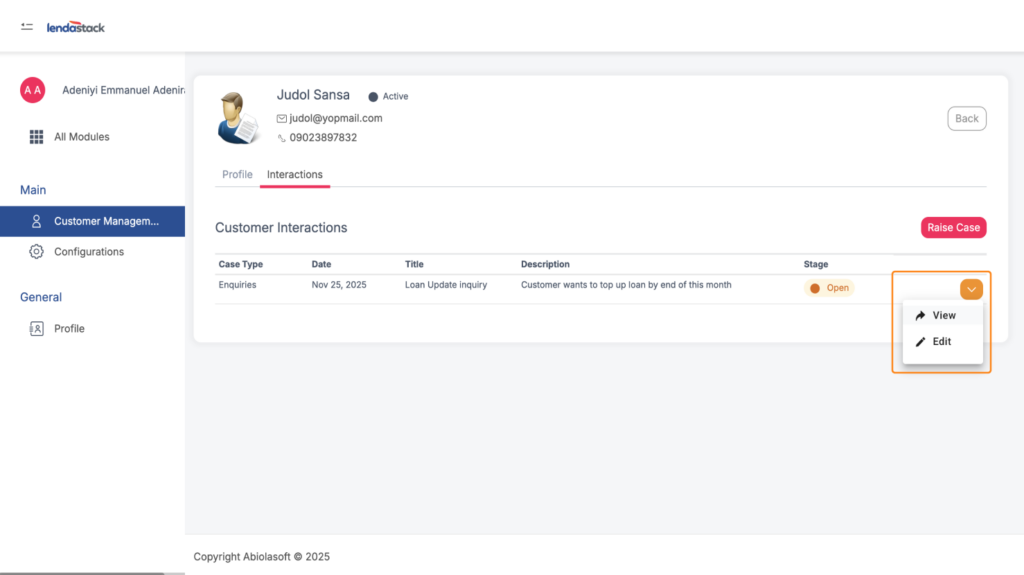
After saving a case; It will appear in the interactions table. On the far right, there is a dropdown arrow that gives you two options:
- View
- Edit
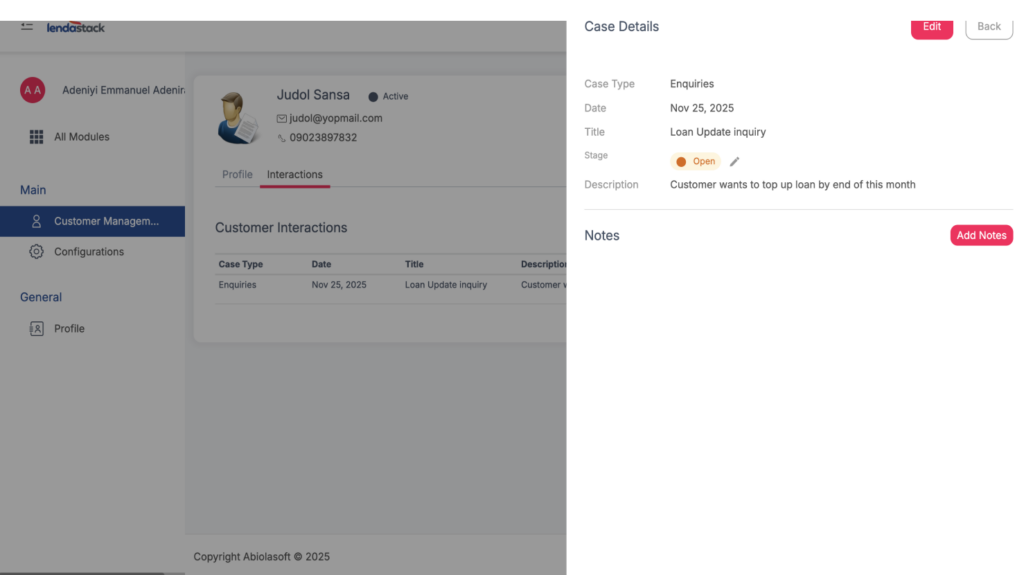
1. View Case Details: See all the information you previously saved.
2. Edit Case Details: Update the case type, stage, title, or description.
3. Add Notes: You can;
- View previously added notes
- Build a threaded message history, making it easy to track the entire conversation or follow-up process related to that case.