
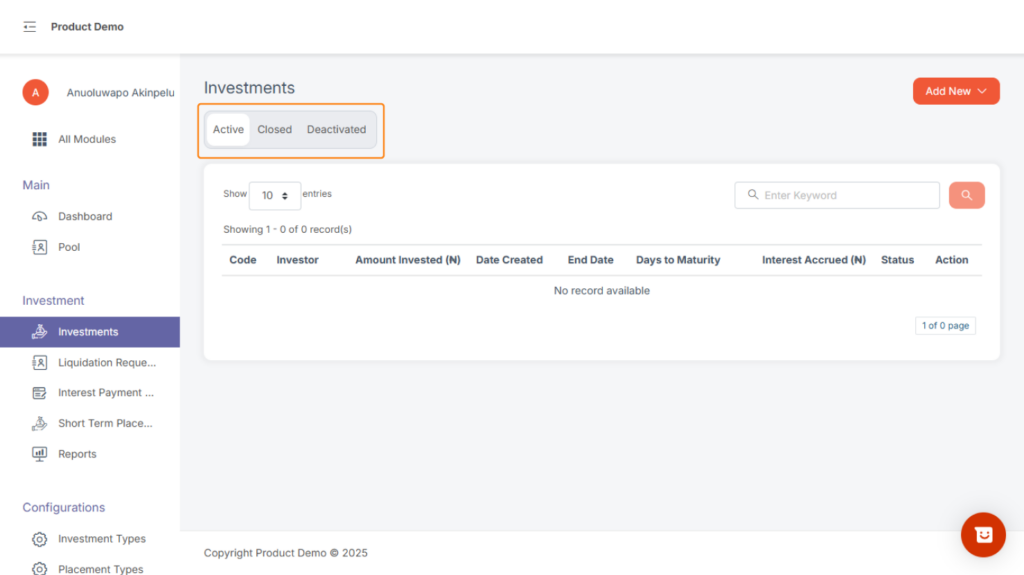
Inside the Investments page, you have 3 tabs:
a. Active Investments
Shows all running investments on the platform — including those that have matured but are not yet liquidated. These are investments still considered “open”.
b. Closed Investments
Closed investments refer to investments that have completed their lifecycle and have been officially concluded on the system.
These are investments that:
- Were liquidated and fully settled, or
- Reached maturity and were processed out, or
- Were intentionally closed by an admin due to business rules.
- They serve as historical records and cannot be modified.
c. Deactivated Investments
Deactivated investments are investments that were disabled due to issues or errors. Examples include:
- Investments created wrongly
- Duplicate entries
- Investments tied to invalid financial institutions
- Investments paused due to compliance or verification issues
A deactivated investment is not active and cannot proceed to maturity or liquidation. It is kept for record purposes only.
How to deactivate an investment
Step1, locate an active investment
Step2, click on the drop down
step3, click on view button
step4, click on deactivate investment button
step5, On the modal display input pin and complete the process
Adding a New Investment
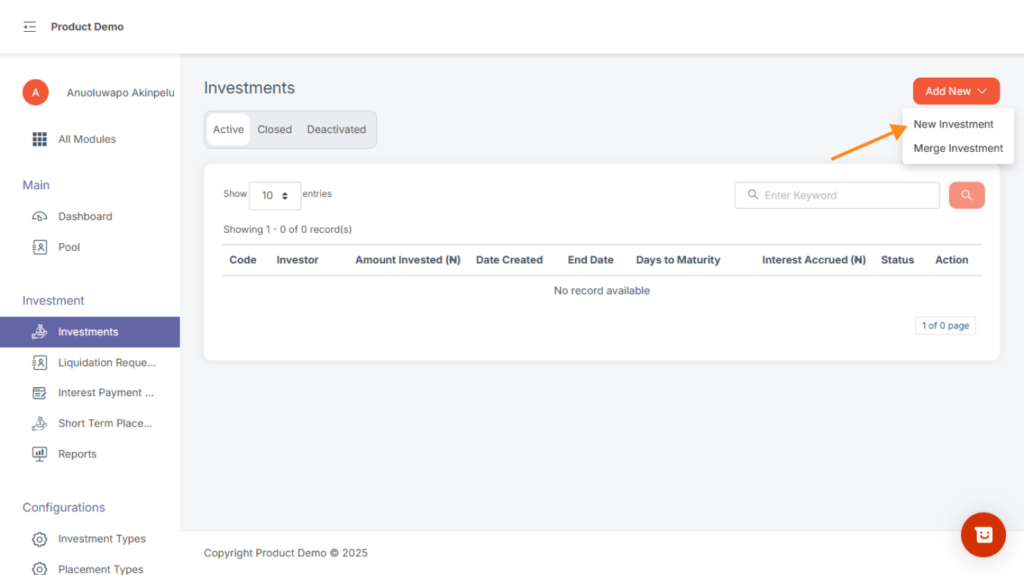
At the top, there is a dropdown button with two options:
Add New Investment
Merge Investments
To add a new investment:
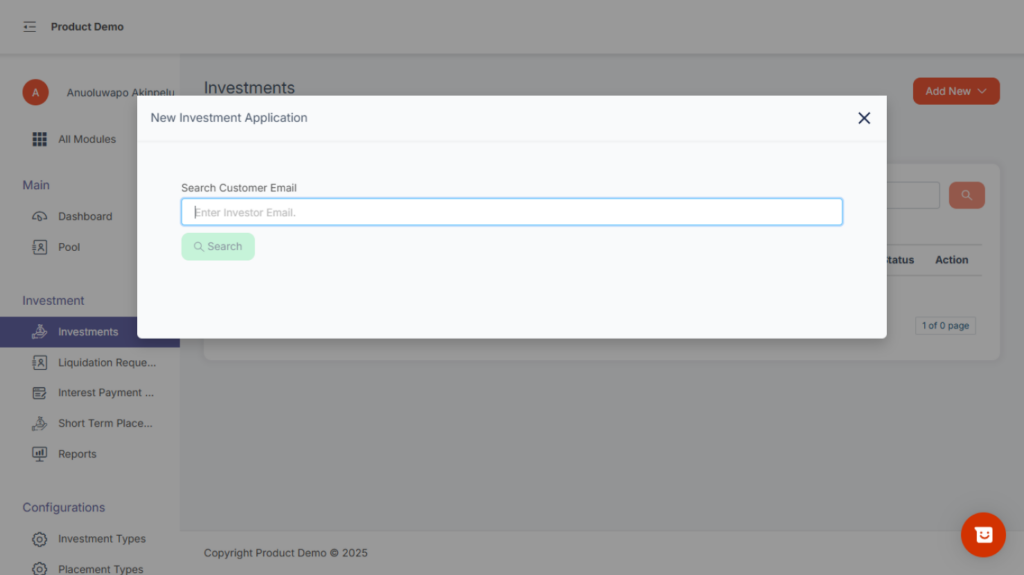
Click New Investment from the dropdown.
A modal will appear prompting you to enter the customer’s email.
After selecting the customer, you will be presented with a form containing all required fields, such as:
Investment amount
Duration
Interest rate
Start date / end date
Payment instruction
Fill all required details and click Submit to create the investment.
Merge Investments
To merge two or more active investment, under add new investment
1, select and click merge investment button
2, A modal pop’s up, enter the email address and search
3, select the investment to be merge follow the procedures and submit
4, A new investment will be created.