Creating A New Loan Product or Type #
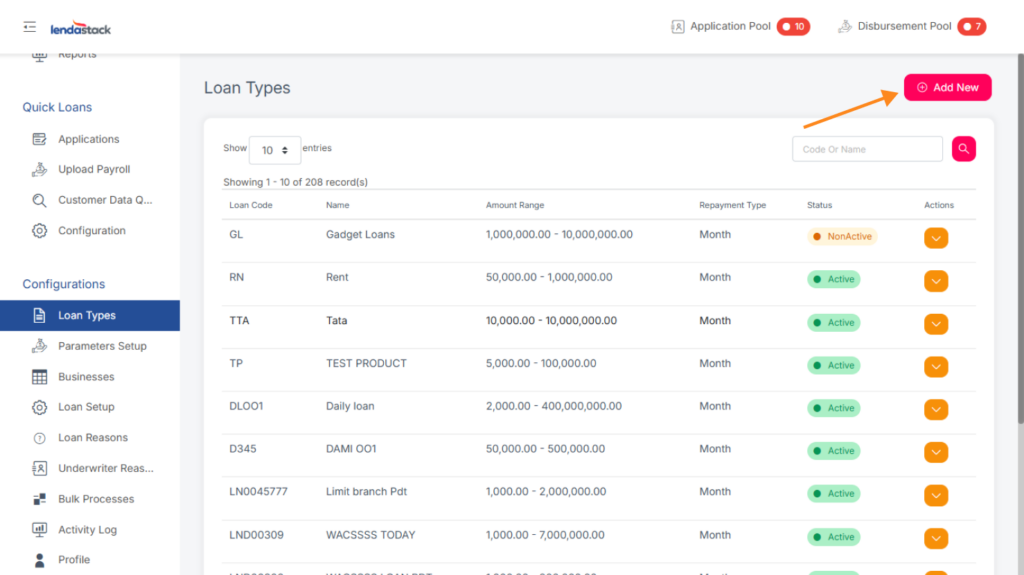
Users with the Create Loan Types permission can create new loan products. To do so:
1. Go to the Loan Types option in the sidebar.
2. Click the Create New Loan Type button located in the top-right corner of the page.
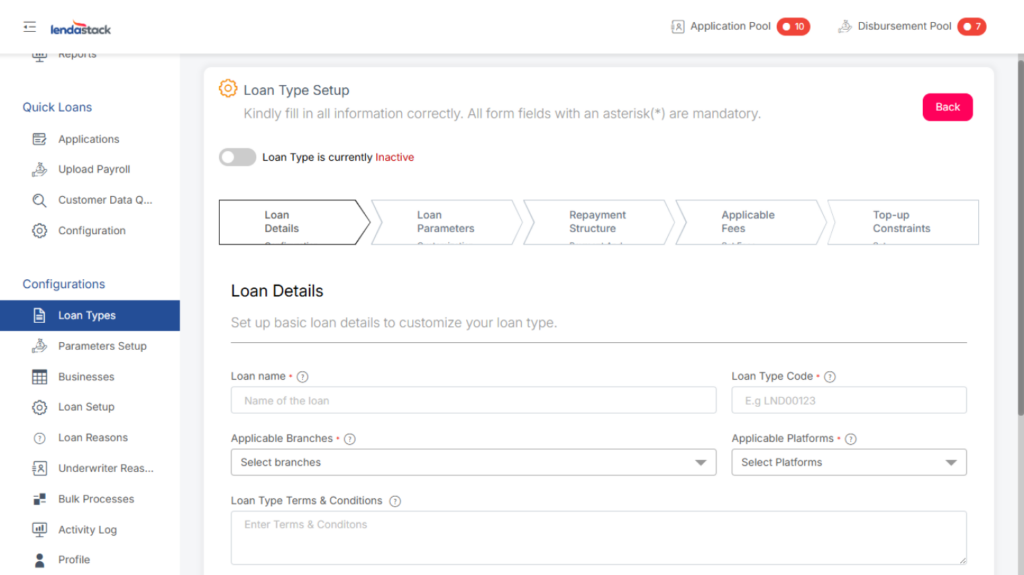
Form Overview:
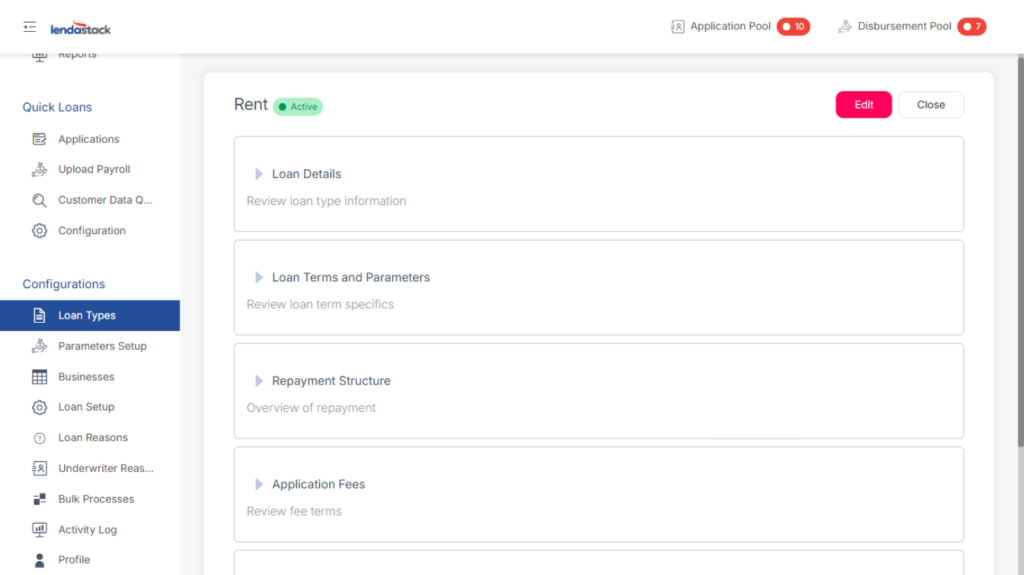
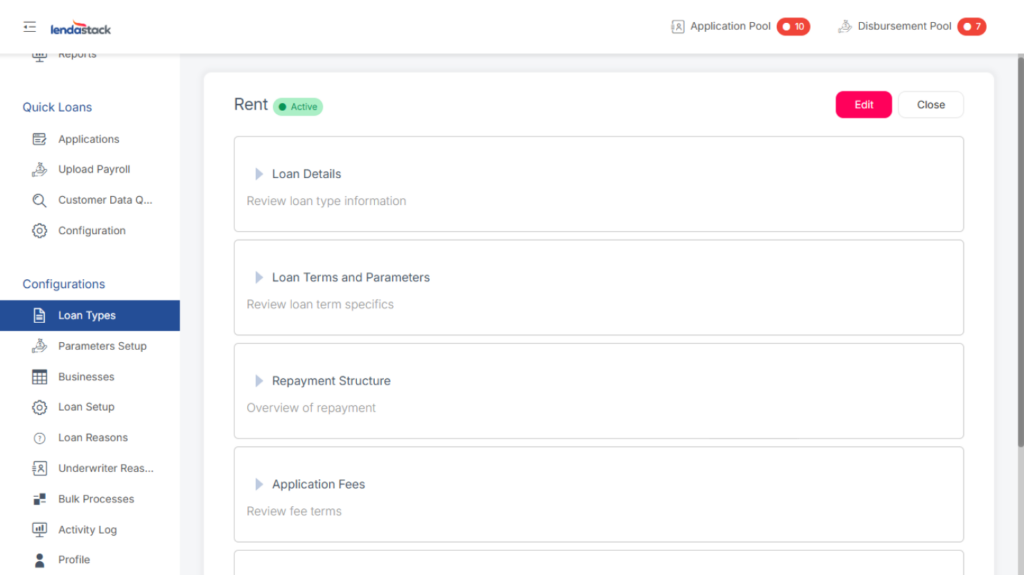
This action opens a form with the following sections:
- Loan Details: Configure the basic settings for your loan type.
- Loan Name: Enter a name to identify the loan type.
- Loan Type Code: Enter a unique code. This is used to search for and categorize loans.
- Applicable Branches: Select the physical locations where borrowers can make repayments.
- Applicable Platforms: Select the channels (e.g., online, mobile) where borrowers can make repayments.
- Status: Set the loan type as Active or Inactive.
- Loan Type Terms & Conditions: Provide the detailed terms of service for your users.
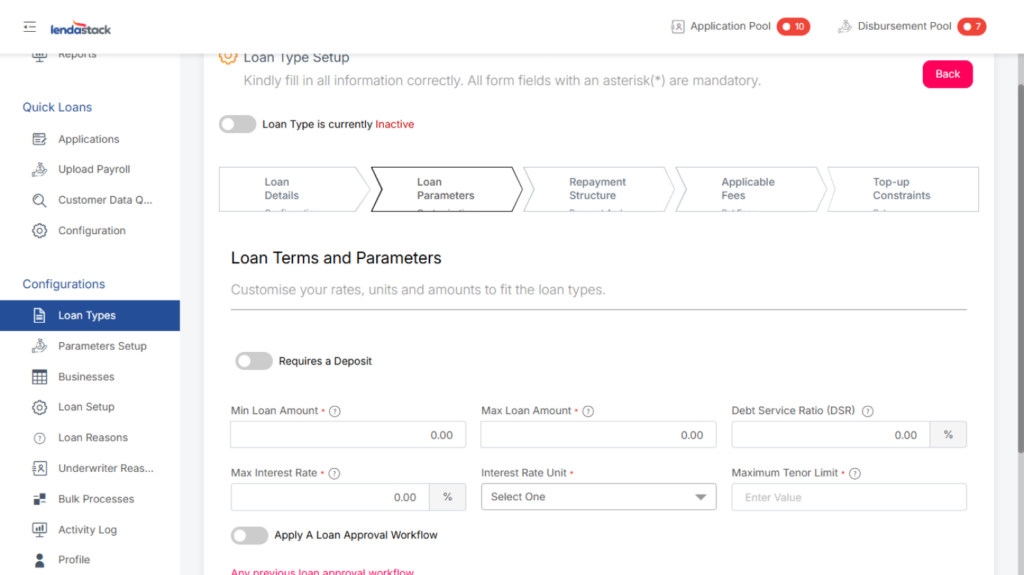
Loan Terms and Parameters
Customize the rates, units, and amounts to define the loan type.
- Min Interest Rate: The minimum allowable interest rate. Borrowers cannot be charged below this rate.
- Max Interest Rate: The maximum allowable interest rate. Borrowers cannot be charged above this rate.
- Debt Service Ratio (DSR): The minimum ratio required for loan approval. Calculate this by dividing the borrower’s disposable income by their existing debt.
- Min Loan Amount: The smallest loan amount that can be disbursed under this loan type.
- Max Loan Amount: The largest loan amount that can be disbursed under this loan type.
- Base Tenor Limit: The maximum repayment period in months. The loan must be fully repaid within this timeframe.
Loan Repayment
Are predefined settings that determine how a loan behaves, for example, interest rate, penalty charges, grace period, and repayment type.
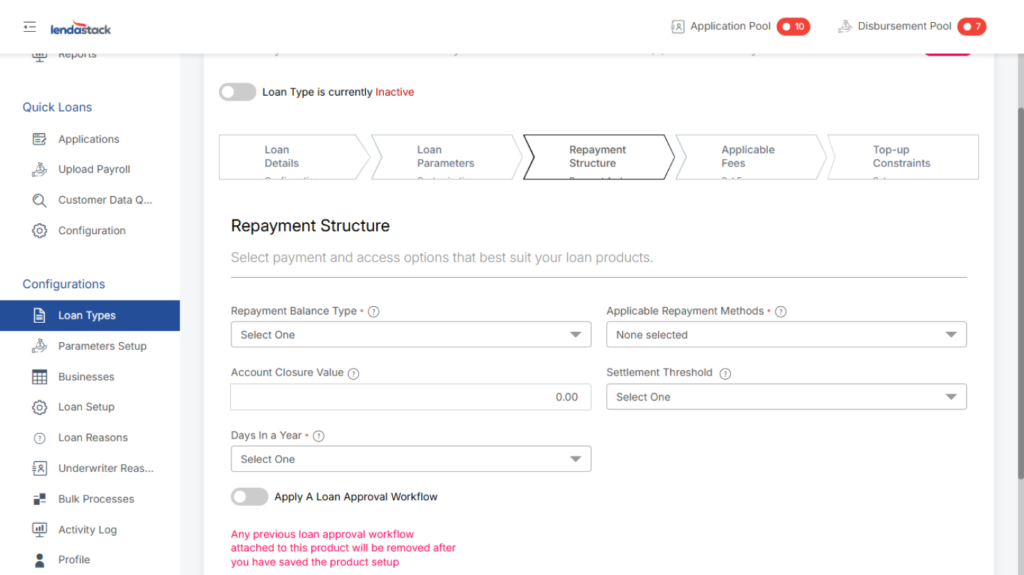
Loan Repayment Structure
Select the payment options that best suit your loan product.
- Repayment Type: select a repayment schedule to guide the borrower
- Applicable Repayment Methods: Choose the allowed repayment methods from the dropdown menu.
- Days in a Year: Define the number of days used for interest calculations in your fiscal year.
- Settlement Threshold: Set the minimum payment amount required to settle the loan early.
- Account Closure Value: Enter the minimum outstanding balance that permits account closure.
- Repayment Balance Type: Select the method for calculating the outstanding balance from the dropdown (e.g., declining balance).
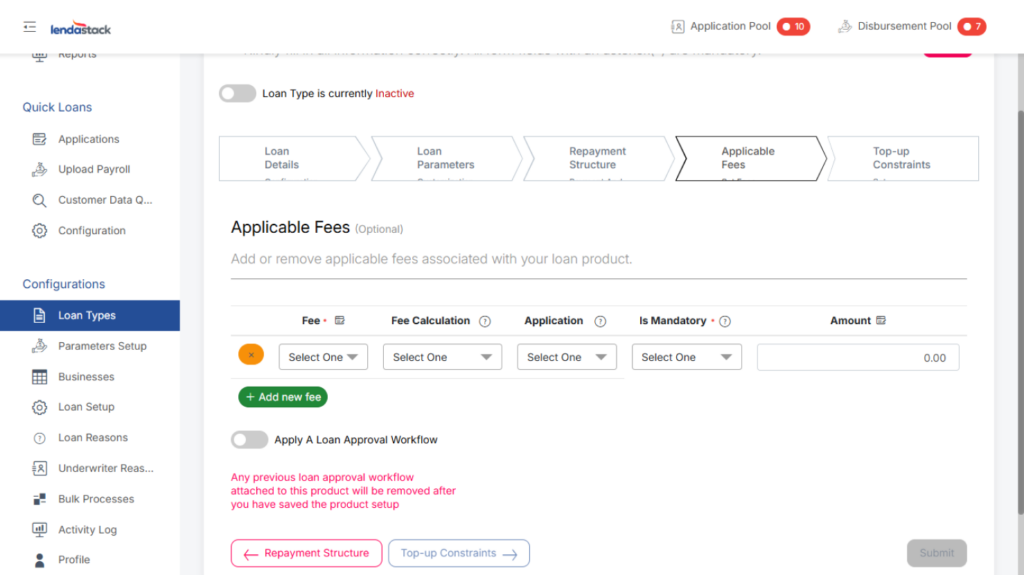
Application Fees
Add or remove the fees associated with your loan product.
The fee should be configured with the following parameters:
- Fee: Select the fee name from the dropdown menu.
- Fee Calculation: Choose how the fee is applied:
- Deducted Upfront: The fee is subtracted from the loan amount before disbursement.
- Capitalized: The fee is added to the total loan amount to be repaid.
- Applications: Select the percentage (%) of the loan amount the fee represents.
- Is Mandatory: Specify whether the fee is mandatory for the applicant.
- Amount: Enter the monetary amount of the fee.
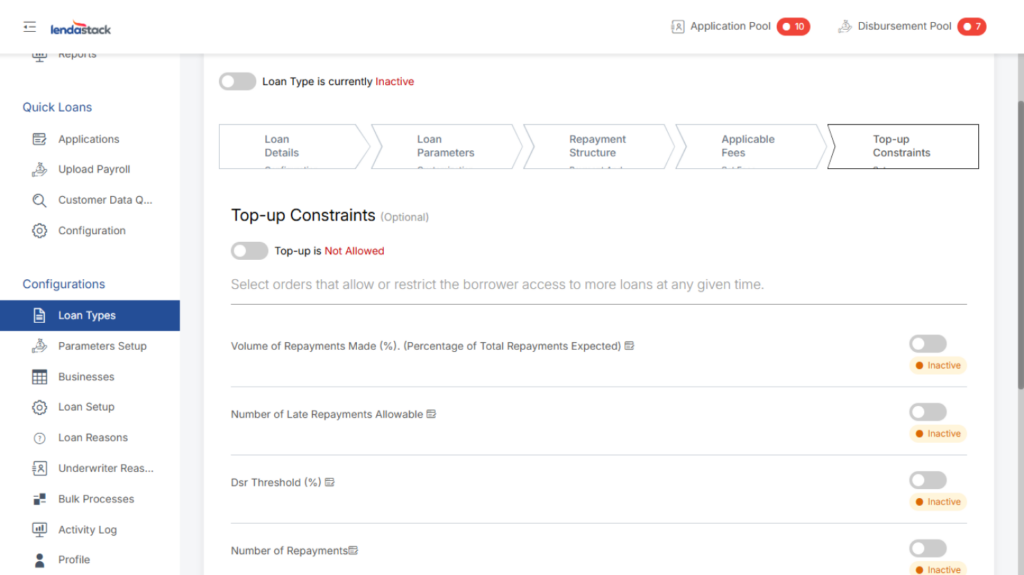
Top-up Constraints
Define the conditions a borrower must meet to be eligible for additional loans.
- Volume of Repayments Made (%): The minimum percentage of the existing loan that must be repaid before a top-up is allowed.
- DSR Threshold (%): The maximum Debt Service Ratio (DSR) a borrower can have to qualify for a top-up.
- Number of Repayments: The minimum number of successful repayments required on the current loan before a top-up is permitted.
- Min Loan Tenor: The shortest period a borrower must have been repaying the current loan to become eligible for a top-up.
- Number of Late Repayments Allowable: The maximum number of late payments permitted on the current loan for the borrower to remain eligible for a top-up.
Once all required form fields and sections have been completed, click the Submit button to save the new loan type.
After submission, the loan type will appear in the list below, where it can be viewed or edited.
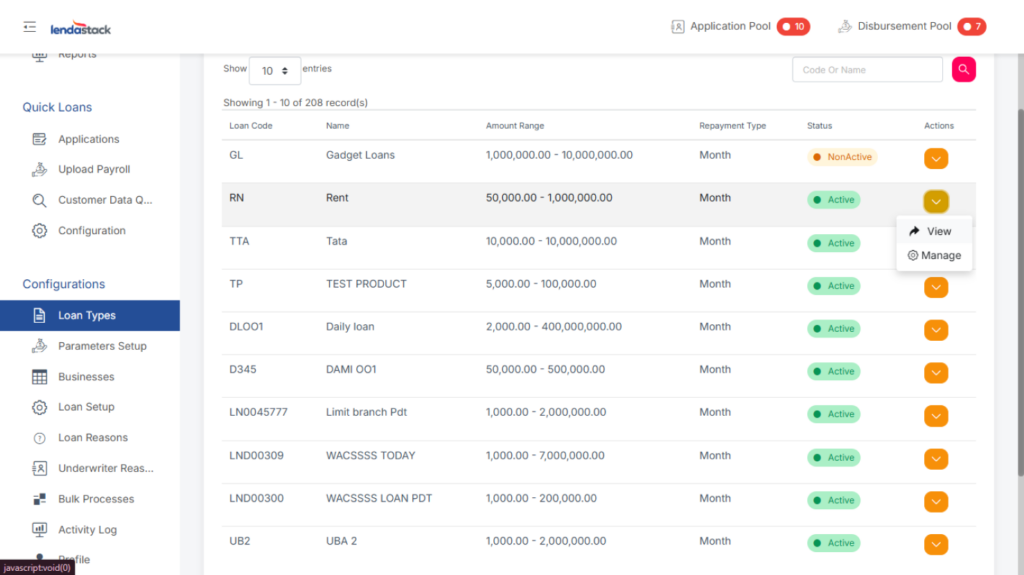
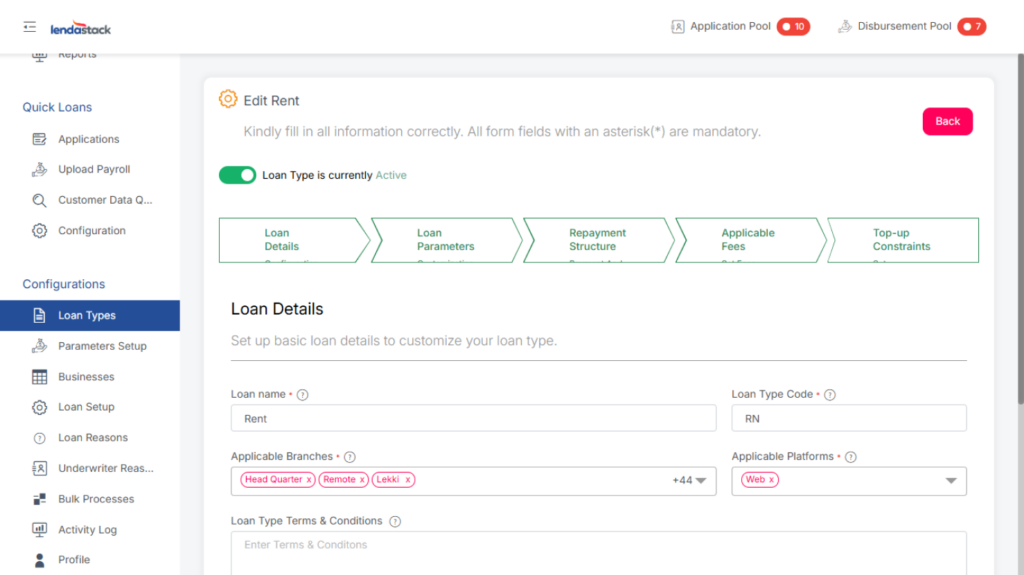
To view or edit, click the dropdown arrow in the “Action” column for the relevant loan type. This presents two options:
- View: See the loan type’s details.
- Edit: Modify the loan type’s configuration if necessary.
After making the necessary edits, click the Submit button to save your changes.
You can also activate or deactivate the loan type using the Status toggle. Simply switch the toggle on to activate it or off to deactivate it.