
This section allows you to completely customize the risk assessment for all customers going through Checkout
On the sidebar click on risk assessment a short data form is displayed with four different headings in which you fill /set all required.
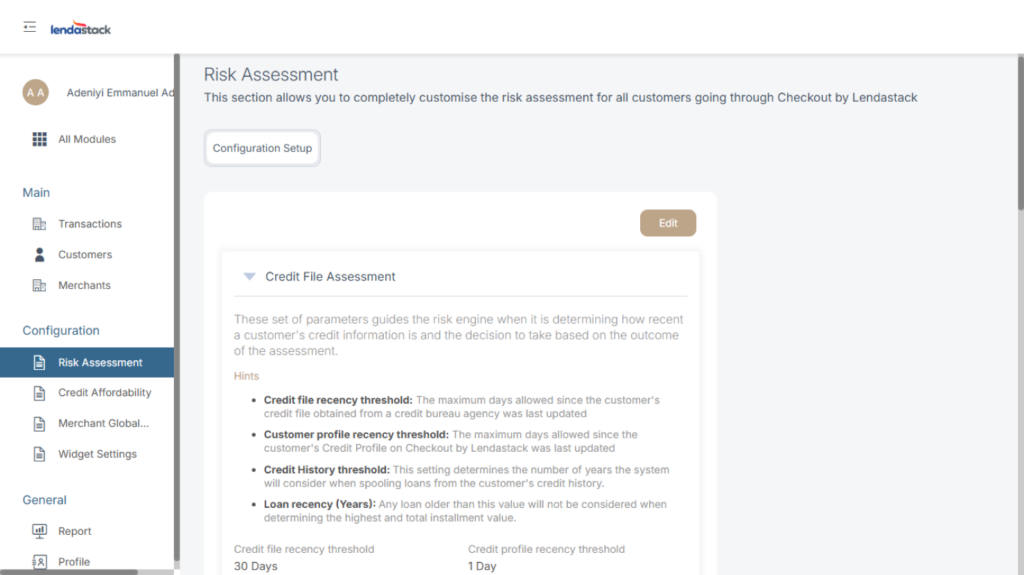
Configure Credit File Assessment
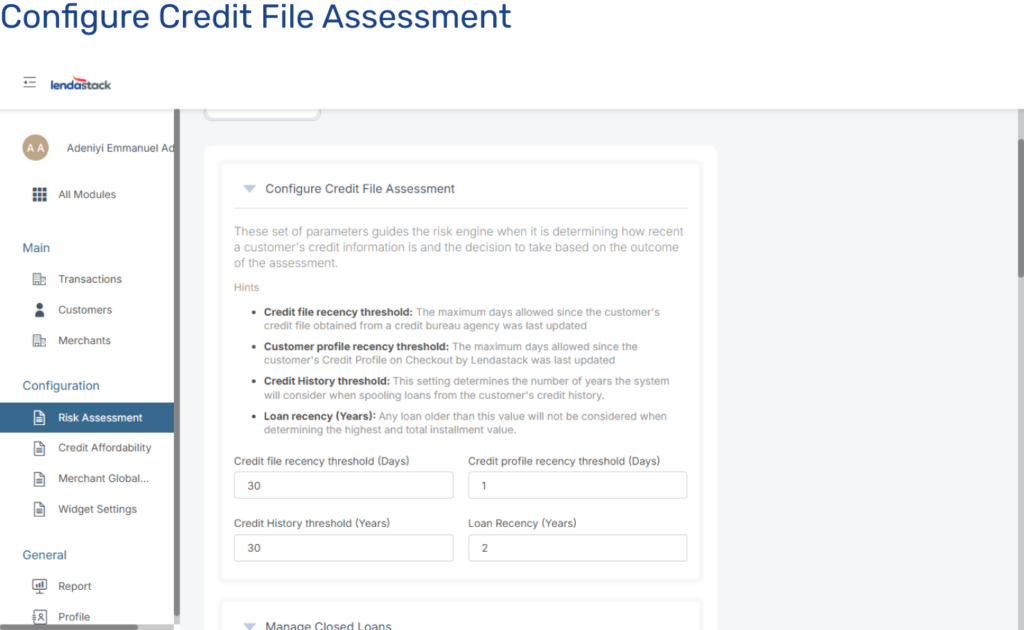
This set of parameters guides the risk engine when it is determining how recent a customer’s credit information is and the decision to take based on the outcome of the assessment.
Once you click on Configure Credit File Assessment this action pops up a modal, update the parameters for Configure Credit File Assessment below
Credit file recency threshold: The maximum days allowed since the customer’s credit file obtained from a credit bureau agency was last updated.
Customer profile recency threshold: The maximum days allowed since the customer’s Credit Profile on Checkout by Lendastack was last updated.
Credit History threshold: This setting determines the number of years the system will consider when spooling loans from the customer’s credit history.
Loan recency (Years): Any loan older than this value will not be considered when determining the highest and total installment value.
Manage Closed Loans
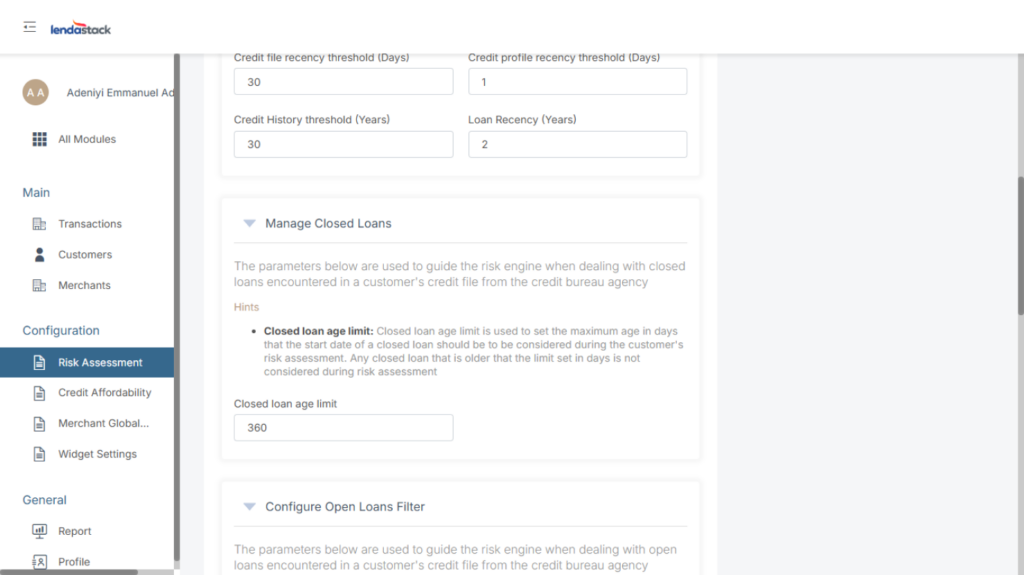
The parameters below are used to guide the risk engine when dealing with closed loans encountered in a customer’s credit file from the credit bureau agency
Once you click on Manage Closed Loans, a modal pops up, update the parameters for Manage Closed Loans below
Closed loan age limit: Closed loan age limit is used to set the maximum age in days that the start date of a closed loan should be considered during the customer’s risk assessment. Any closed loan that is older that the limit set in days is not considered during risk assessment
Configure Open Loans Filter
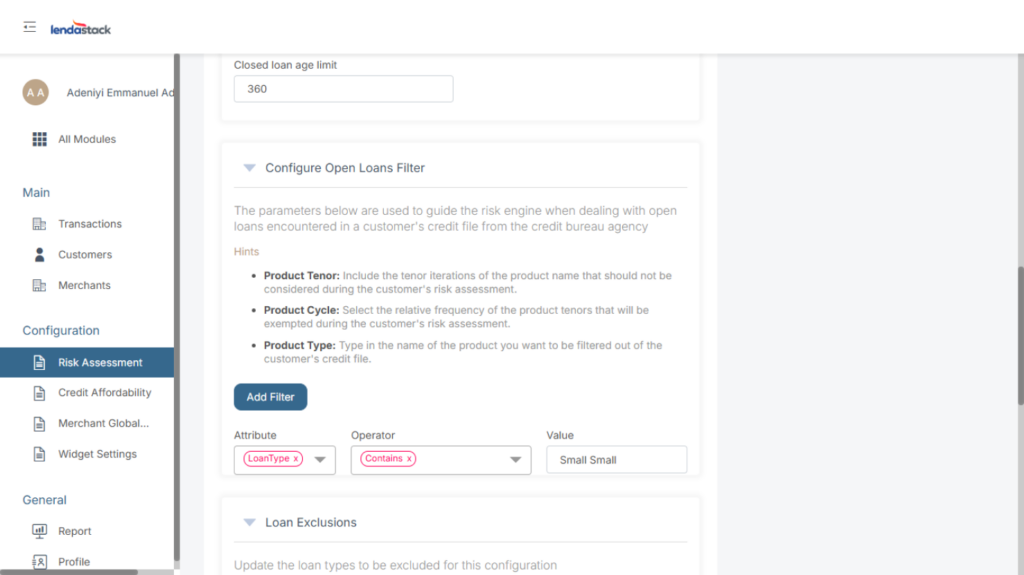
The parameters below are used to guide the risk engine when dealing with open loans encountered in a customer’s credit file from the credit bureau agency
Once you click on Configure Open Loans Filter this action pops up a modal, update the parameters for Configure Open Loans Filter below
Product Name: Type in the name of the product you want to filter out of the customer’s credit file.
Product Tenor: Include the tenor iterations of the product name that should not be considered during the customer’s risk assessment.
Product Frequency: Select the relative frequency of the product tenors that will be exempted during the customer’s risk assessment.
You can click on the add filter button at the end of the modal to add more than a roll
Loan Exclusions
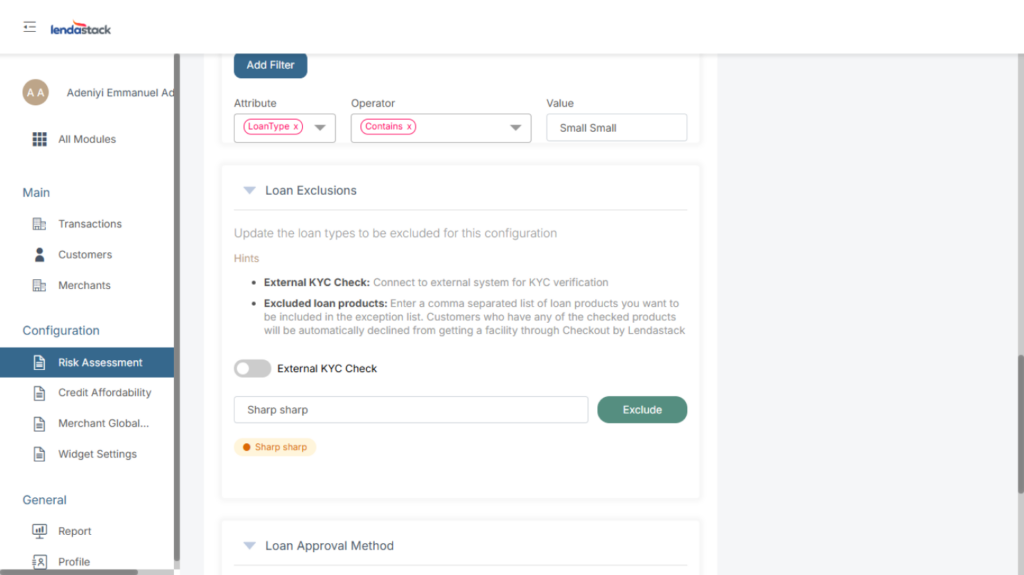
This is used to update the loan types to be excluded for this configuration
External KYC Check: Connect to external system for KYC verification by clicking the toggle
Excluded loan products: Enter a separate list of loan products (Week,Days,Month) you want to be included in the exception list. Customers who have any of the checked products will automatically decline from getting a facility through Checkout.
Once you are satisfied with the information provided, click on the update button to save settings.